RUCKUS Support for Lennar Homes
RUCKUS Support for Lennar SmartHome customers.
cancel
Showing results for 
Search instead for 
Did you mean: 

Forum Posts

Find Answers Faster: RUCKUS Lennar Knowledge Base Self-Help Articles – Check Here Before You Post

Hello RUCKUS Lennar Homeowners, Greetings from RUCKUS! We’re glad to have you here! To make your experience smoother, we’ve created the RUCKUS Lennar Knowledge Base, a dedicated self-help section with step-by-step guides, solutions to common issues, ...


Lennar Knowledge Base.jfif

Resolved! Access points R510 has no power

Hi Team,My R510 access points have been down from last two days and are not displaying any lights, need assistance for a resolution. I have 3 access points and none of them is working.R7150 switch has green lights on the back, still access points do ...

vchekkilla by New Contributor
  • 7800 Views
  • 11 replies
  • 0 kudos

Ruckus unleashed upgrade

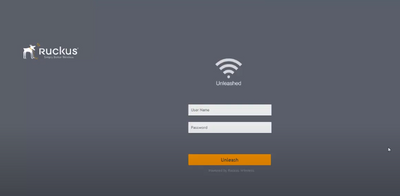
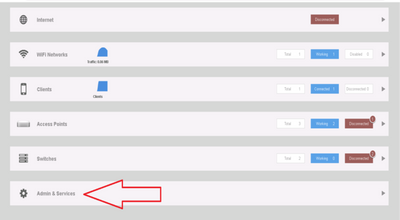
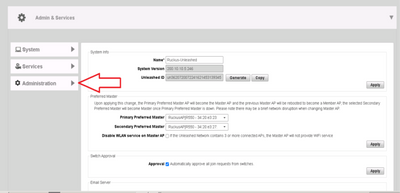
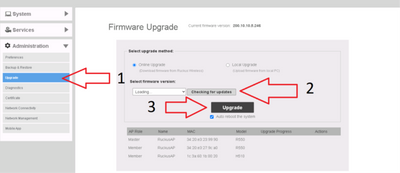
How to perform an upgrade on the Access Points  (unleashed version) using the Unleashed dashboard Please go to: unleashed.ruckuswireless.com or use the IP address of the Master AP Use the management credentials. Admin usernames and passwords for the ...

Vsquez_Fer_0-1669205720334.png Vsquez_Fer_10-1666702613631.png Vsquez_Fer_11-1666702634826.png Vsquez_Fer_12-1666702644088.png

Ruckus Unleashed Set-up using your Mobile

Steps to setup Ruckus Unleashed using your Mobile: A) Connecting to the Access Point 1. On your device, open the list of available Wi-Fi networks. 2. Look for a network named “Configure.Me-1807D0”, where 1807D0 represents the last six digits of your ...

pinky_ruckus_0-1753125833828.png pinky_ruckus_1-1753125833841.png pinky_ruckus_2-1753125833852.png pinky_ruckus_3-1753125833857.png