This website uses cookies. By clicking Accept, you consent to the use of cookies. Click Here to learn more about how we use cookies.
RUCKUS Community Forums are now in READ-ONLY mode while we migrate to a new platform.
You will still be able to read posts and knowledge articles, but will be unable to post new content until Go Live on the new platform Monday August 17.
Lennar Smart Home customers: please contact [email protected] for assistance during the week of August 9-17.

- Community
- RUCKUS Technologies
- RUCKUS Lennar Support
- Community Services
- RTF
- RTF Community
- Australia and New Zealand – English
- Brazil – Português
- China – 简体中文
- France – Français
- Germany – Deutsch
- Hong Kong – 繁體中文
- India – English
- Indonesia – bahasa Indonesia
- Italy – Italiano
- Japan – 日本語
- Korea – 한국어
- Latin America – Español (Latinoamérica)
- Middle East & Africa – English
- Netherlands – Nederlands
- Nordics – English
- North America – English
- Poland – polski
- Russia – Русский
- Singapore, Malaysia, and Philippines – English
- Spain – Español
- Taiwan – 繁體中文
- Thailand – ไทย
- Turkey – Türkçe
- United Kingdom – English
- Vietnam – Tiếng Việt
- EOL Products
Turn on suggestions
Auto-suggest helps you quickly narrow down your search results by suggesting possible matches as you type.
Showing results for
- RUCKUS Forums
- Community Services
- Community and Online Support Services
- Re: Firmware Check site is down ?
Options
- Subscribe to RSS Feed
- Mark Topic as New
- Mark Topic as Read
- Float this Topic for Current User
- Bookmark
- Subscribe
- Mute
- Printer Friendly Page
Firmware Check site is down ?

Options
- Mark as New
- Bookmark
- Subscribe
- Mute
- Subscribe to RSS Feed
- Permalink
- Report Inappropriate Content
04-15-2021 06:25 AM
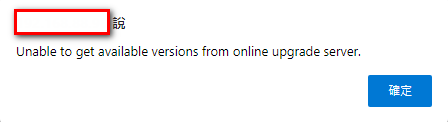
It seems that the Unleashed "firmware check" OTA site is down or something ? (error message shown when the "upgrade" button is pressed )
4 REPLIES 4

Options
- Mark as New
- Bookmark
- Subscribe
- Mute
- Subscribe to RSS Feed
- Permalink
- Report Inappropriate Content
04-15-2021 10:06 AM
Hi George,
When Clicking upgrade it is downloading and upgrading OTA from Ruckus site. See the below screenshots and try again.
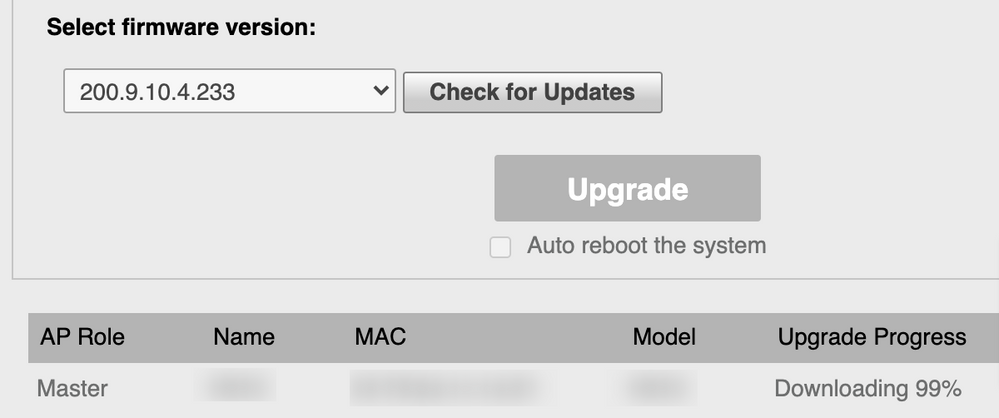
Finally with message "The new firmware has been successfully downloaded. Please click the Reboot button to finish upgrade."

Thanks
Karthik.
Options
- Mark as New
- Bookmark
- Subscribe
- Mute
- Subscribe to RSS Feed
- Permalink
- Report Inappropriate Content
04-15-2021 10:52 AM
Hi, karthik: when click "Upgrade" in the side bar, it doesn't show my current version, it shows "no available versions" instead.
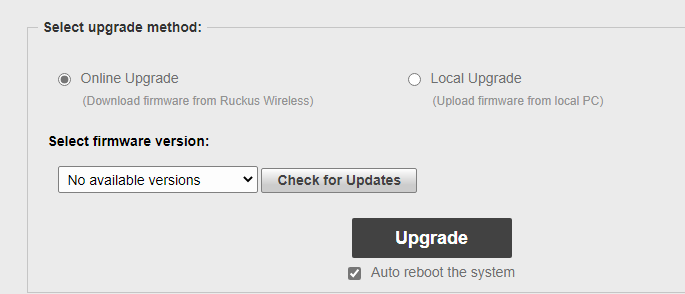
when click "Check for Updates" it pops up a error message
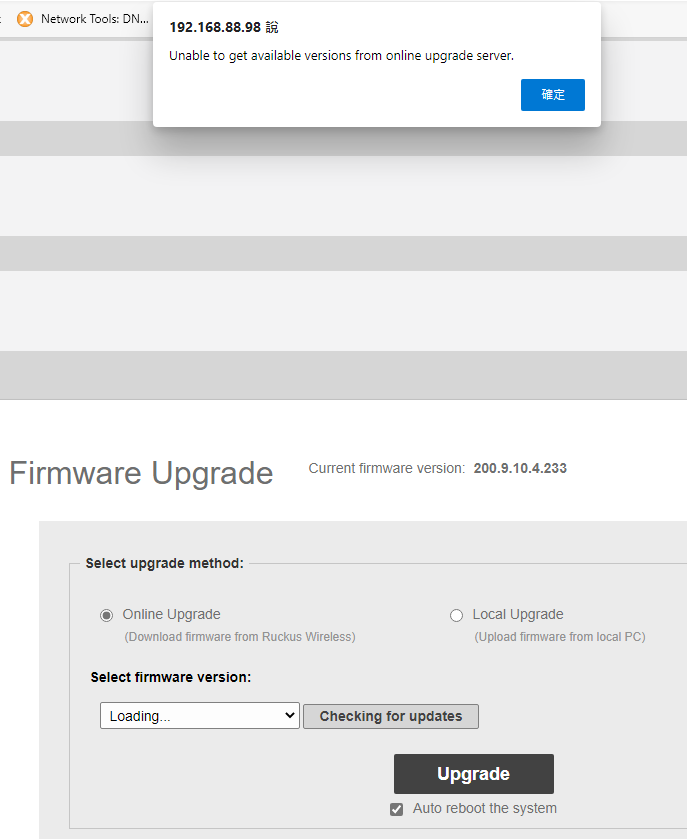
I think the logic here should be "it doesn't get current installed firmware version" in the first place, so it can't compare the version between both side to determine if newer version available, then the warning message pops up.
so the problem should be why it can't get current firmware version that used to be showing. weird ....

Options
- Mark as New
- Bookmark
- Subscribe
- Mute
- Subscribe to RSS Feed
- Permalink
- Report Inappropriate Content
04-16-2021 04:20 AM
What model of AP you have? Is it supported with latest Unleashed firmware?
If yes, than try download the latest firmware and upgrade locally, this may fix and issue.
Options
- Mark as New
- Bookmark
- Subscribe
- Mute
- Subscribe to RSS Feed
- Permalink
- Report Inappropriate Content
04-16-2021 05:35 AM

Labels
-
Access points
1 -
administration
1 -
AP Management
1 -
API Help
1 -
Code Flash Free Space = 0
1 -
community
2 -
ios
1 -
mac
1 -
port-fast
1 -
portfast
1 -
R500
1 -
R750
1 -
Ruckus
2 -
spanning-tree
1 -
spanningtree
1 -
top contributors
1 -
ubuntu
1 -
Unleashed
2
- « Previous
- Next »
