Analyzing a packet capture is one of the best tools when troubleshooting the majority of the issues in wireless communications, hence, collecting a packet capture is also a task that we should be familiarized with.
v/SZ - Collecting AP Packet Capture from All Interfaces Simultaneously
The web GUI of the SmartZone controller is the quickest way to get the 'pcaps'. Let me show you with a few steps:
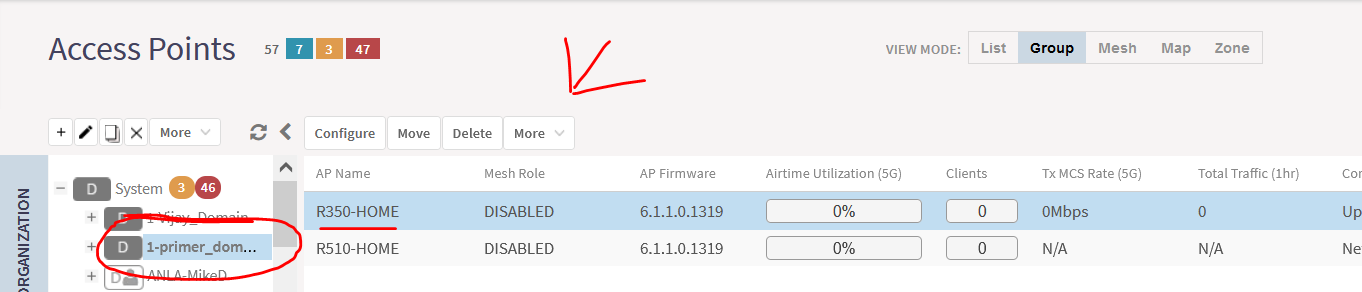
1. Go to: Access Points>Select: the desired AP>Click: 'More'>Packet Capture:
2. Select:'Save to file>Choose: the desired interface>Select: all the frame types.
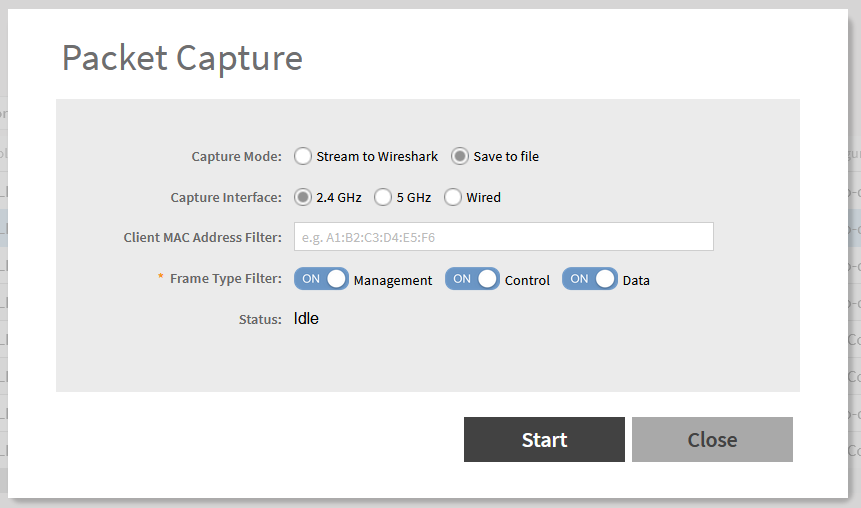
3. Click: 'Start' to start the capture, 'Stop' to stop the capture, and wait for the option 'Download' to download the file.
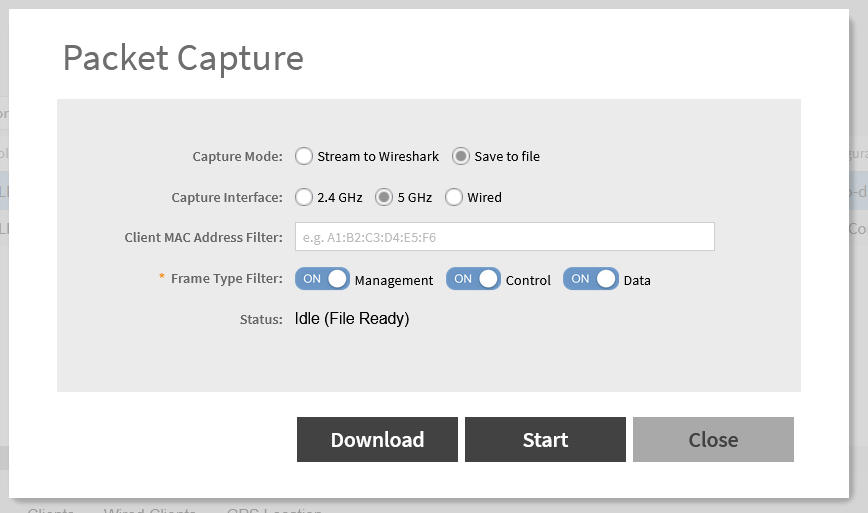
- '2.4 GHz' and '5 GHz' are are the wireless interfaces.
- Optional, it's helpful to use the mac-address of the affected/testing client to filter out the traffic when collecting in the wireles interfaces.
The file is downloaded in a .tar folder that will need to be extracted to get the pcap file that can be read with wireshark.
Here a link to get 7zip, the extractor I use the most.
Here is a link to download wireshark.
Do you want to know about other ways to take packet captures on APs? Check this KB.
