Hi Team,
When a user goes through enrolment and gets a DPSK. When they then use that DPSK each device shows up as AccountDPSK-xxxxxx for the username:
Since the user went through an enrollment, CloudPath knows the username and we can use a POLICY to return the username attribute.
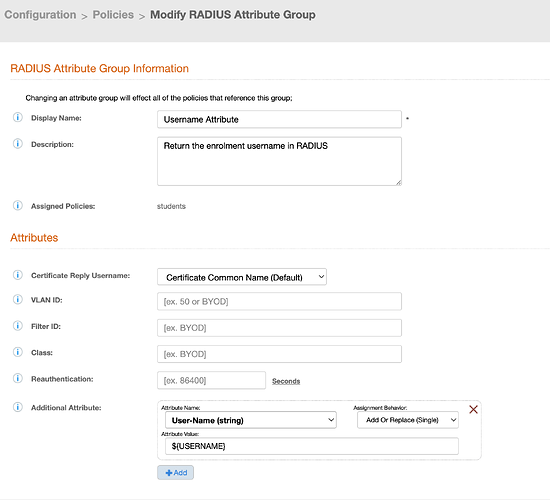
- Create a RADIUS Attribute Group that associates the RADIUS value “User-name” to the variable ${USERNAME} make sure to modify the assignment behavior to add or replace:
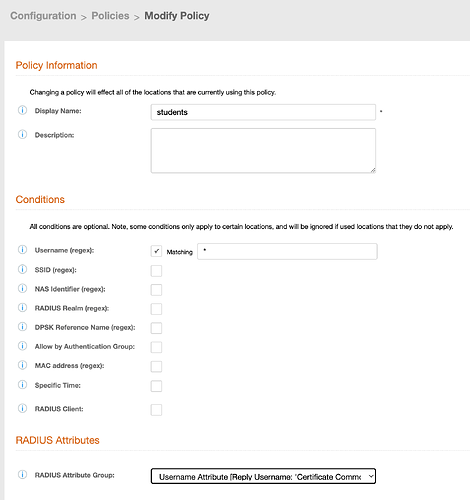
- Create a POLICY that returns that attribute:
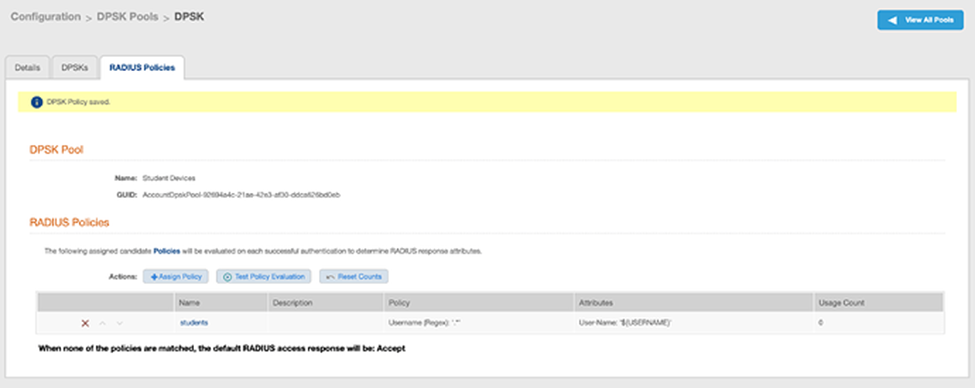
- Apply that POLICY to the DPSK pool:
During the next auth of that device, the returned value of the variable ${USERNAME} will be visible in the controller:

Thanks.

