Requirement/Use case: There are multiple locations which are segregated through AP/WLAN group in SmartZone controller. Now different VLAN ID to be assigned as per the location.
Prerequisites:
- 802.1x SSID with Cloudpath as AAA with default ‘Radius options’
- Cloudpath 5.7 and above
- Vsz/sz 5.0 and above
- Segregate the locations using WLAN/AP group.
In SmartZone controller:
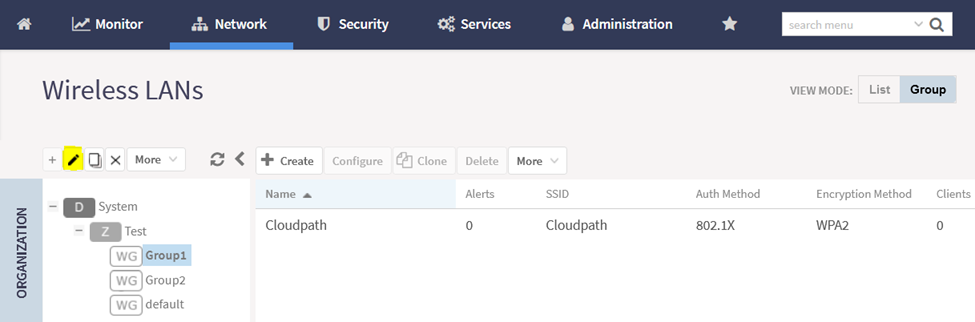
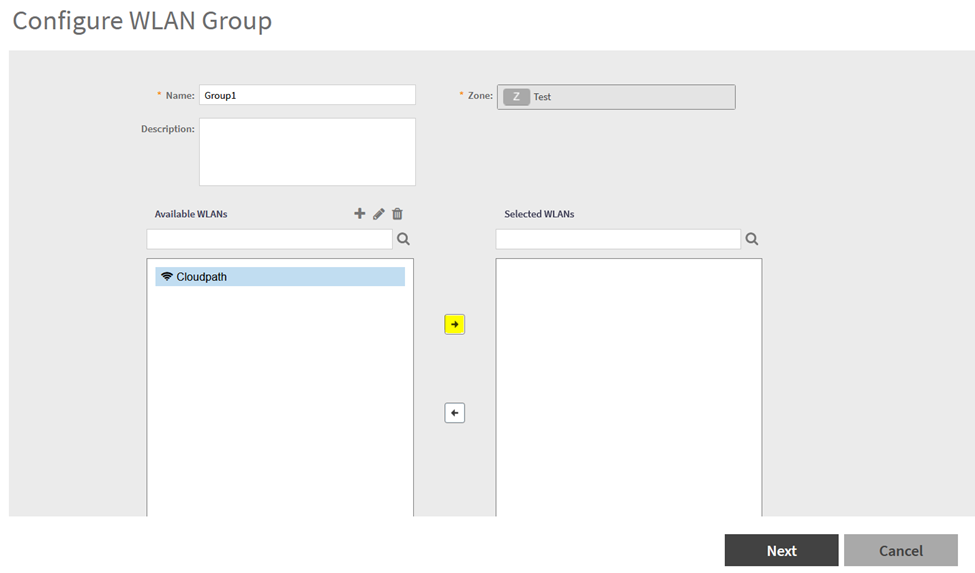
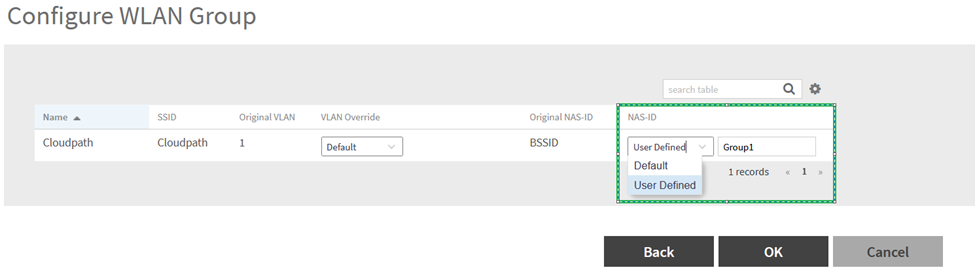
Go to > WLAN > Group 1 > Edit > Select WLANs > Toggle ‘NAS-ID’ to ‘User Defined’ then mention ‘Group1’ (Required attribute value)
In Cloudpath:
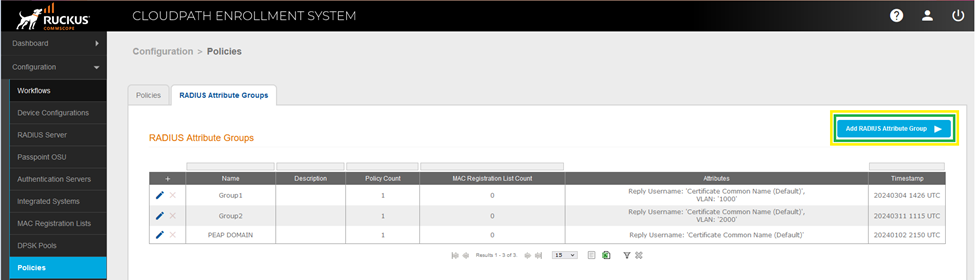
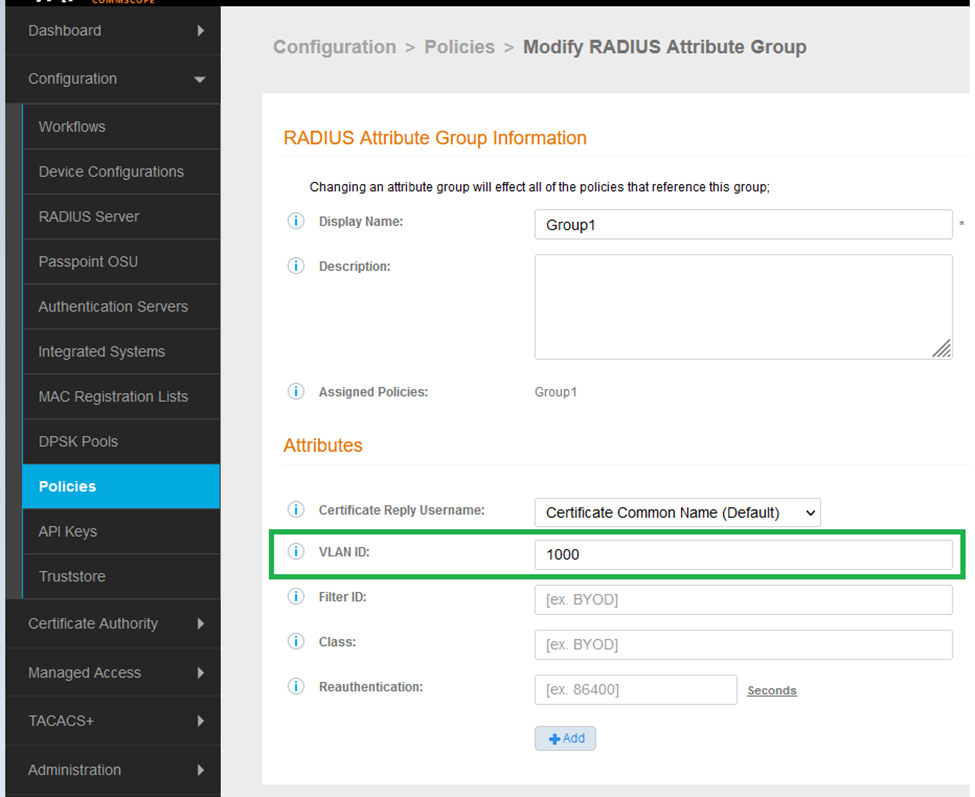
Step 1: Go to > Configuration > Policies > RADIUS Attribute Groups > Add RADIUS Attribute Group > Under ‘VLAN ID’ mention desired VLAN
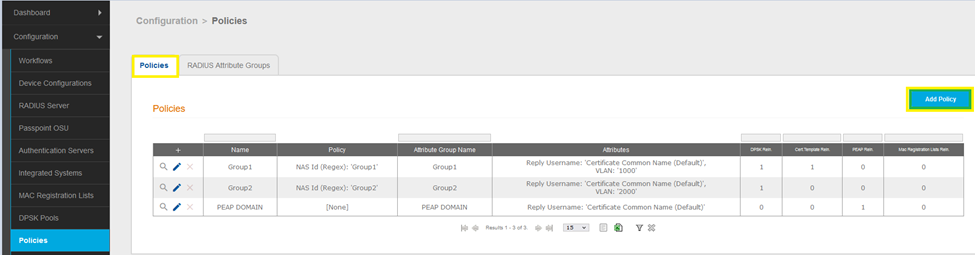
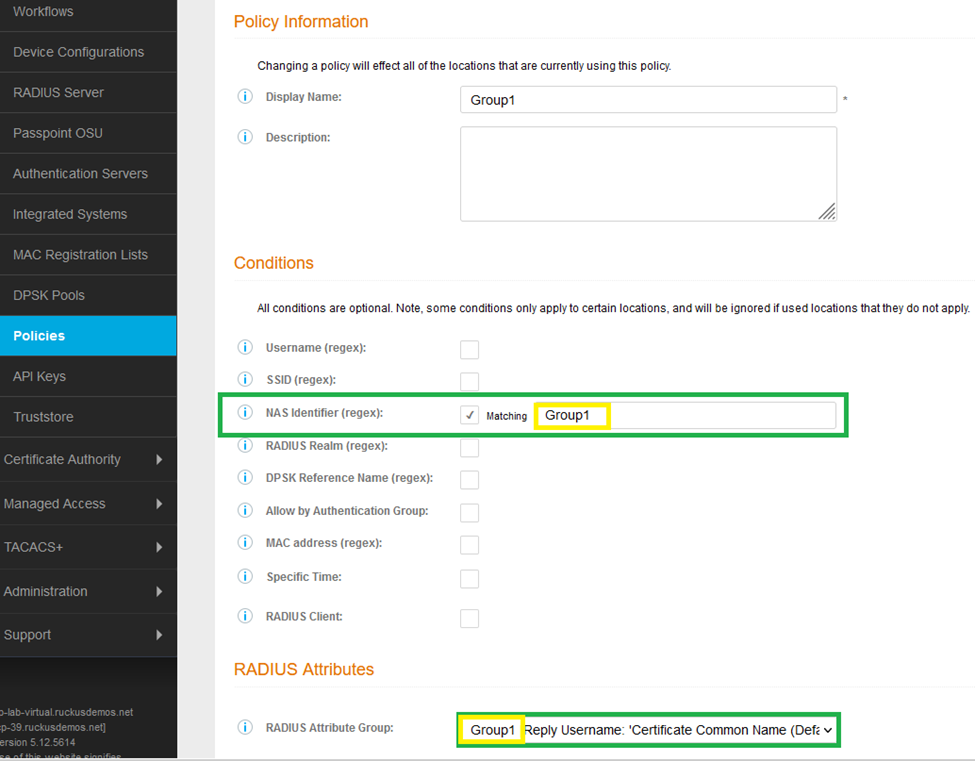
Step 2: : Go to > Configuration > Policies > Policies > Add Policy > NAS Identifier (regex): ‘Group1’ (Mention the ‘User Defined’ value set as ‘NAS-ID’ in Vsz WLAN group)
Step 3a: If Certificate based Authentication
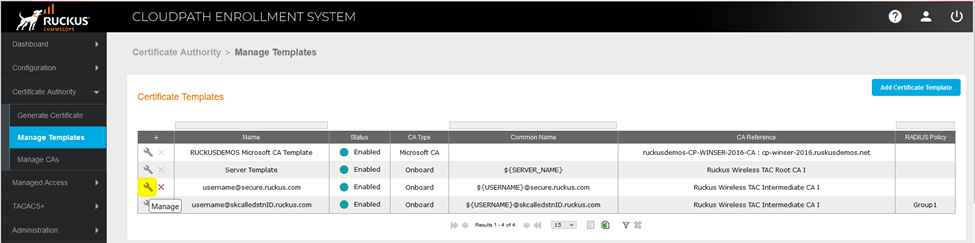
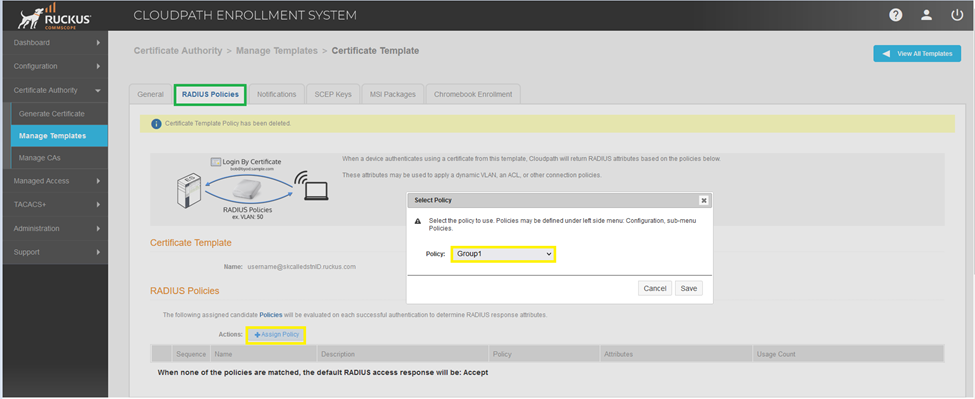
Go to > Certificate Authority > Manage Templates > Certificate Template > Manage > Radius Policies > +Assign Policy ‘Group1’
Step 3b: If eDPSK based Authentication
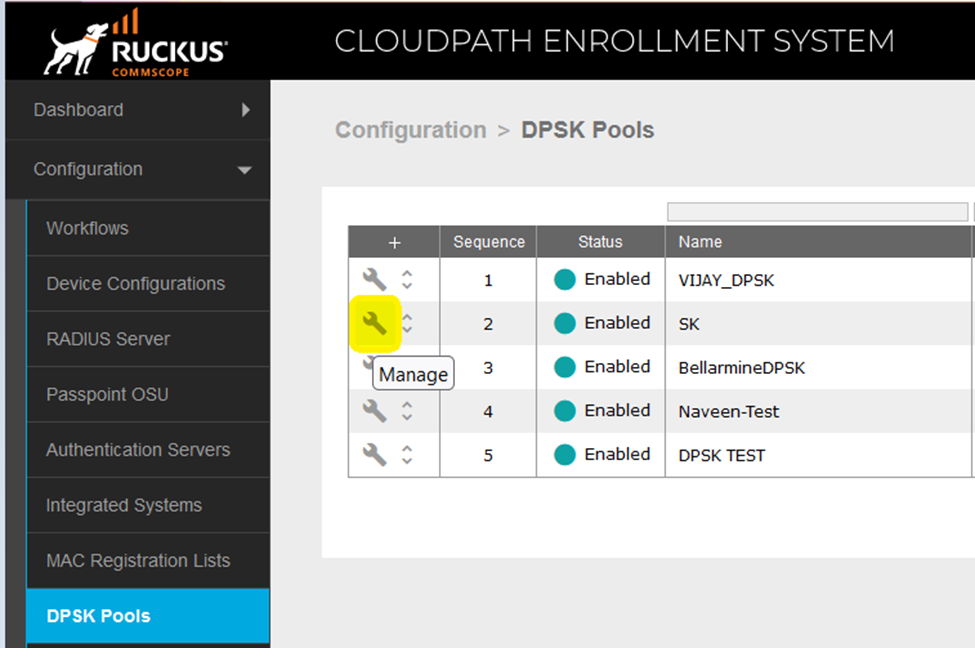
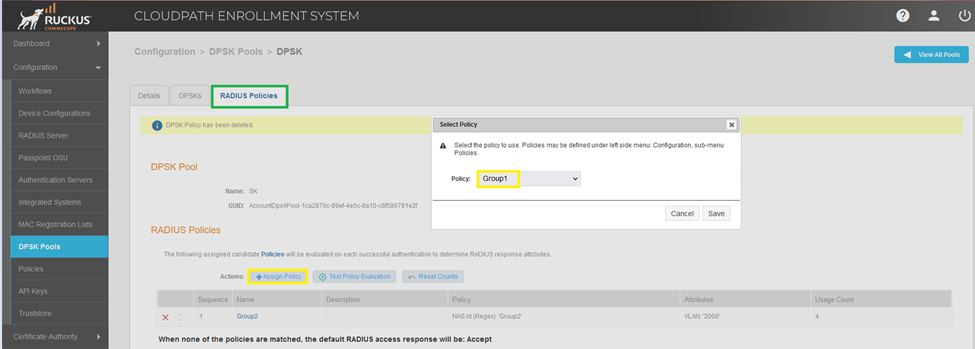
Go to > Configuration > DPSK Pools > Manage > Radius Policies > +Assign Policy ‘Group1