Hello @Yarenis and @Jayavidhya,
My problem looks similar to the one posted here. I was away from home yesterday but noticed that my Wi-Fi was down (no connection to Ring camera, indoor security cameras, thermostat, etc.). When I arrived home today, I saw that the two APs in my home were not working (no LEDs on) and the Ruckus switch had the SYST light amber and PWR light green. My wireless router is working fine. I was told by my neighbors that our power had gone out briefly the day before.
The first thing I attempted was a factory reset as instructed in other posts. To do this, I removed power from the switch, held the Reset button with a pin, and plugged in the power cord again. I held the Reset button for several seconds until all LEDs began to flash amber, then I let go. The LEDs flashed amber for more than 45 minutes, so I disconnected and reconnected power again. Currently it is back to the original status with amber SYST and green PWR.
Then I followed these instructions to attempt a software recovery. I ran into an issue with the connection between my computer and the switch's console port via ethernet cable. Here is what I see in the Device Manager for my ethernet connection. I checked using two different Windows computers and two different ethernet cables - all configurations gave the same error message, so I believe it's an issue with the switch and not the cable itself.
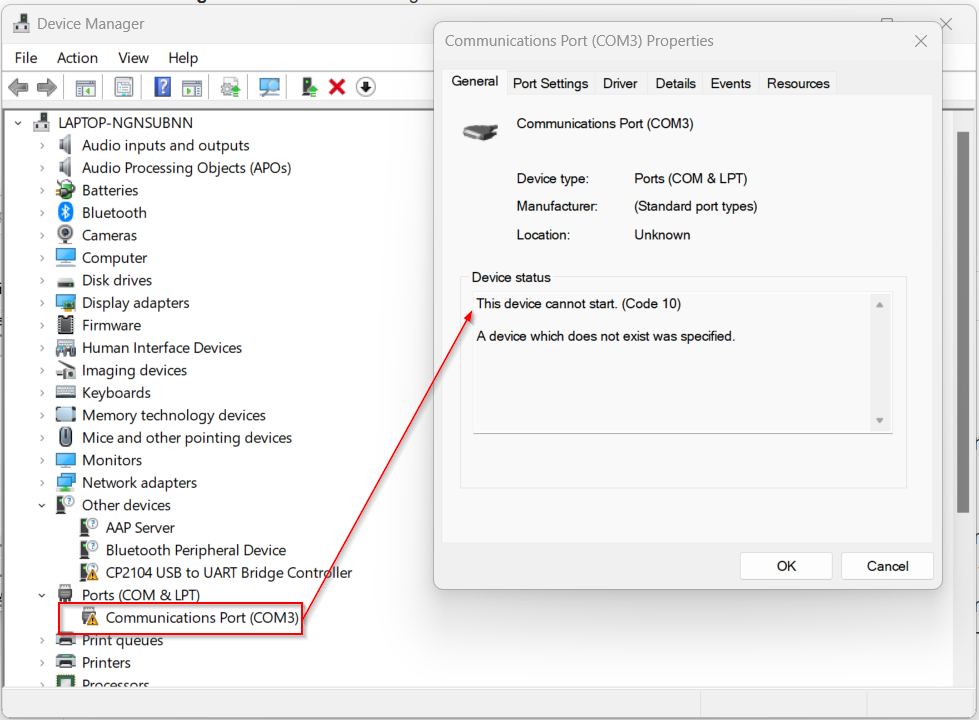
If I attempt to continue in PuTTY, here's what I see:
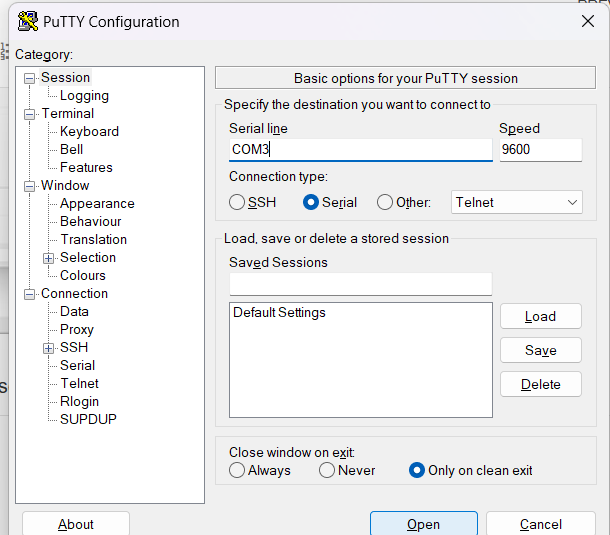
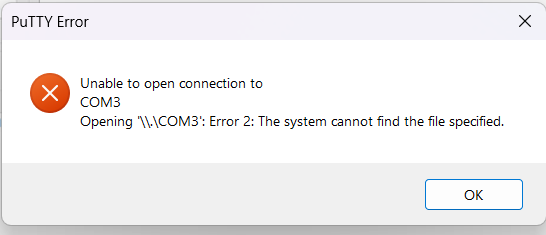
I am unable to continue past this point. I'd appreciate any help to resolve this issue as quickly as possible. Thank you very much.
EDIT at 9PM 11/25/23: I attempted to factory reset the switch again at 7:23PM. It is now 9:00PM (90 minutes later) and all LEDs except PWR are still blinking amber.
Sharon




