Configuration for SZ administrator log in using Radius Server (without default role mapping )
STEP-1
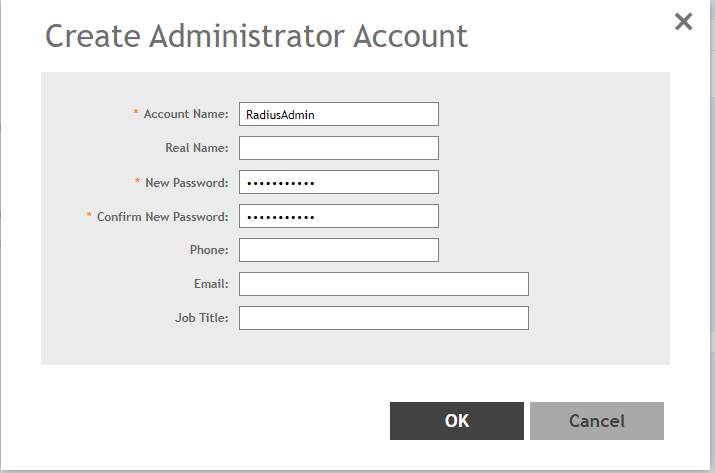
Create the Administrator account in SZ under Administration > Admin & Roles > Administrator > Create
The username will be the Vendor Attribute value (RadiusAdmin) configured in AAA under NPS Policy and the Password is the Shared secret used when adding the radius client
STEP-2
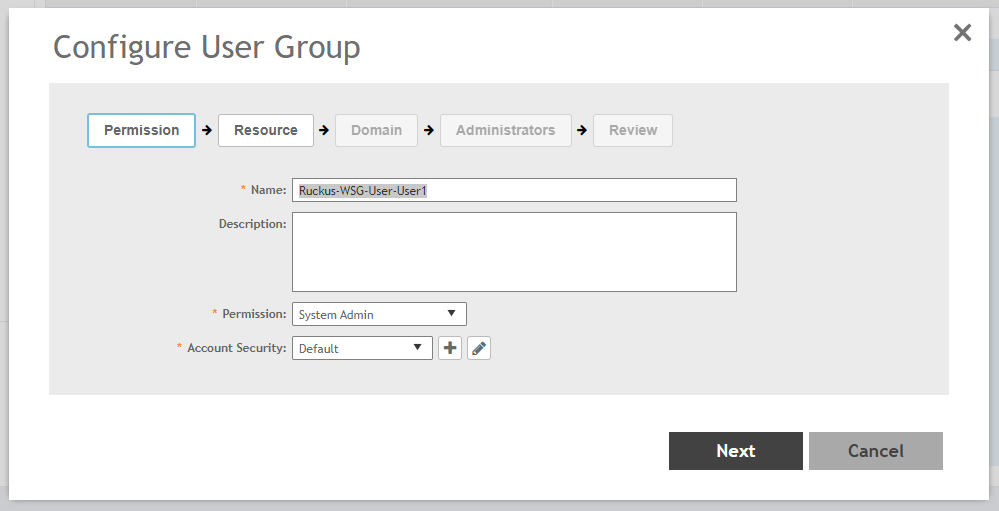
Create a new group in the following format: Ruckus-WSG-User-User1 under Administration > Admin & Roles > Groups > Create > Ruckus-WSG-User-User1
NOTE: Permissions can be set only at the group level and not user basis.
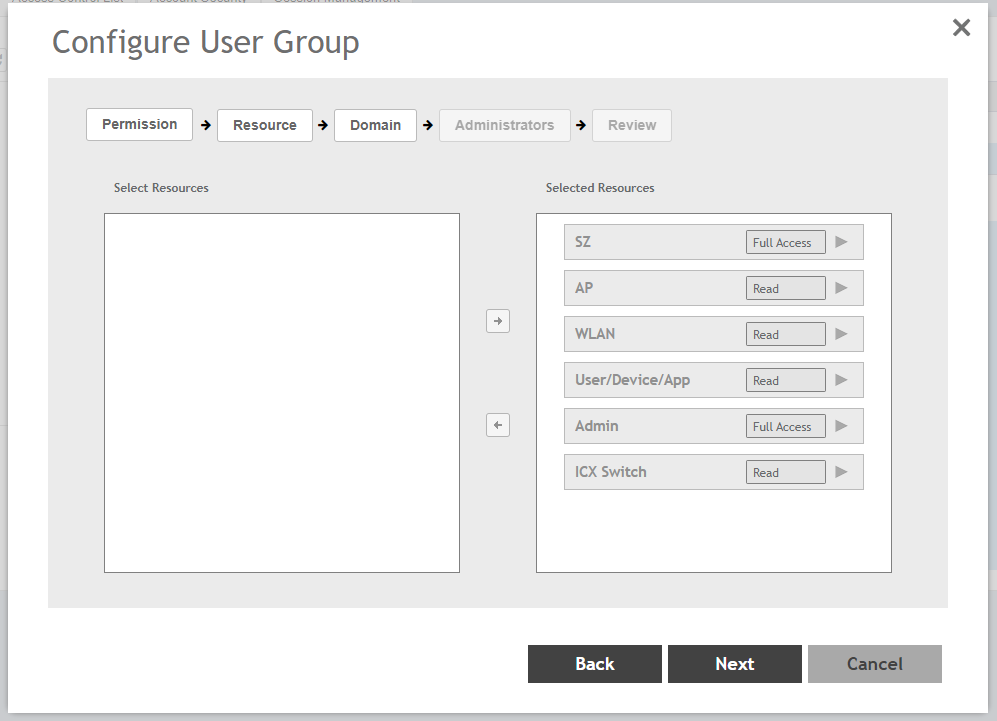
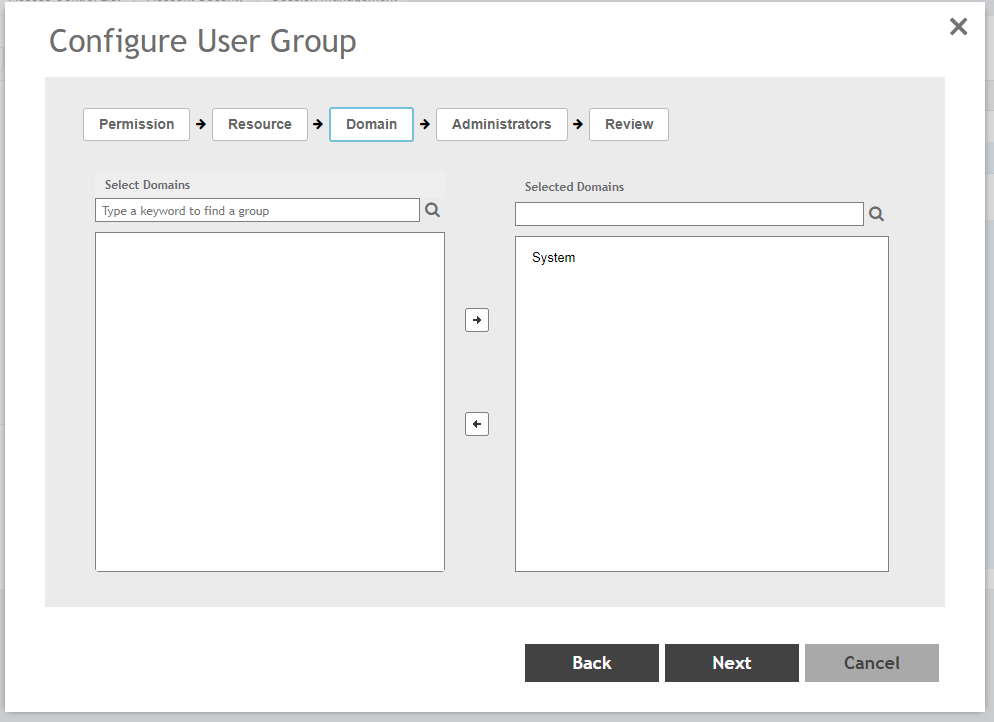
>Now map the RadiusAdmin administrator to the group
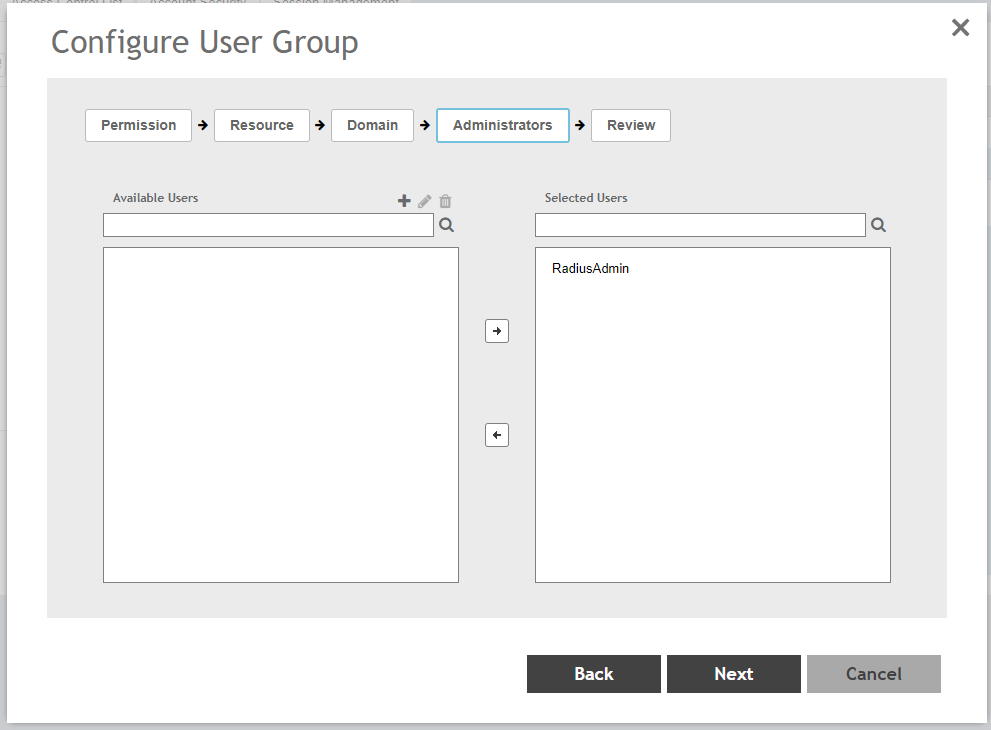
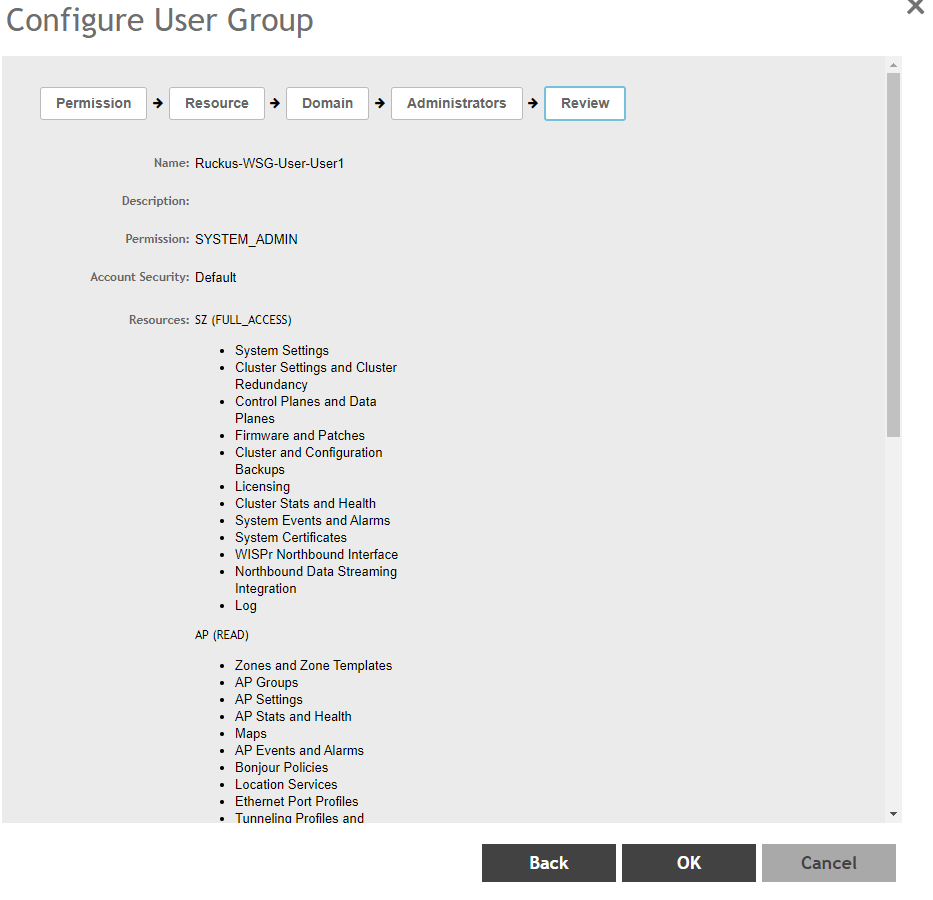
STEP-3: AAA Configuration for RADIUS Type with Default Role Mapping disabled:
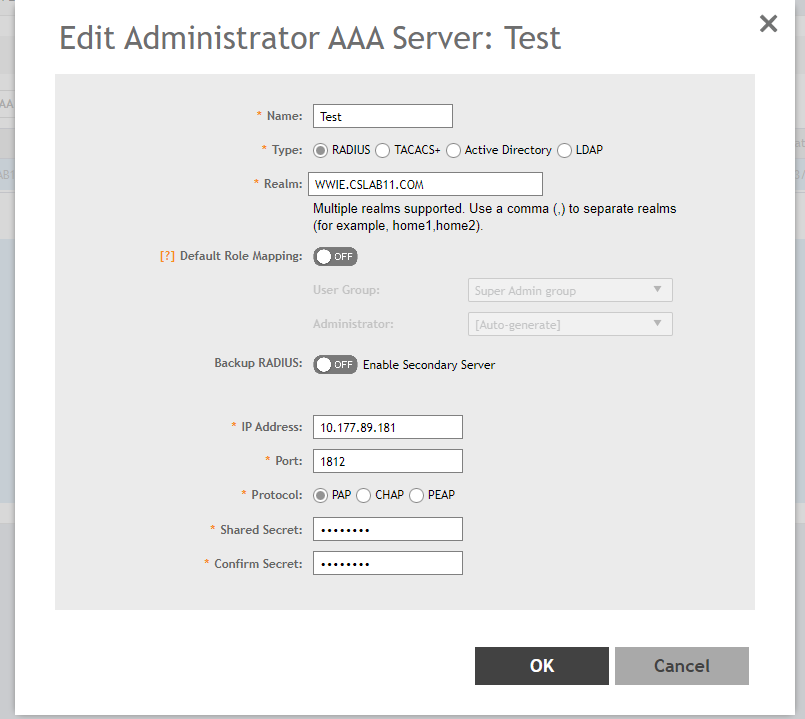
STEP-4: Configuration in AD
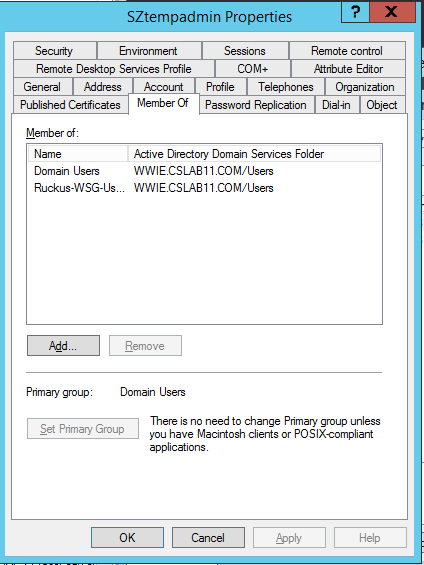
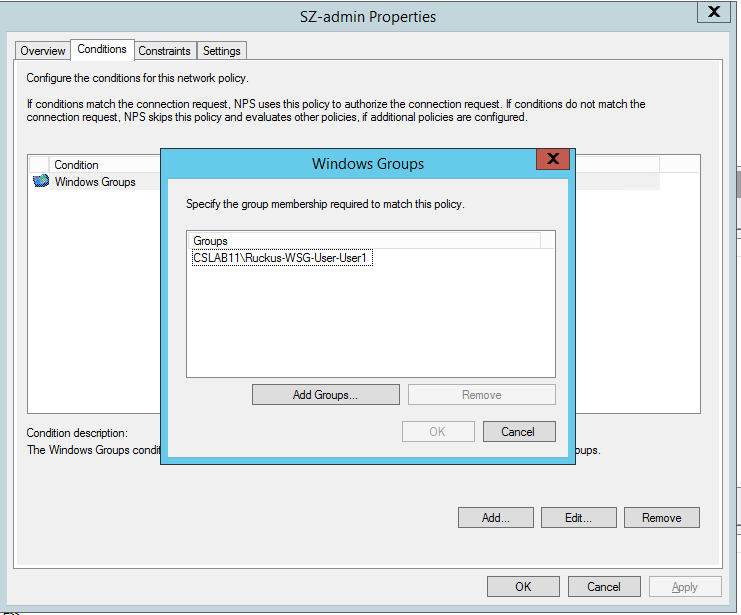
Create a User Group in the AD with the Group name: Ruckus-WSG-User-User1
NOTE: The Group name created in the AD must be as same as the Group Name created in vSZ/SZ.
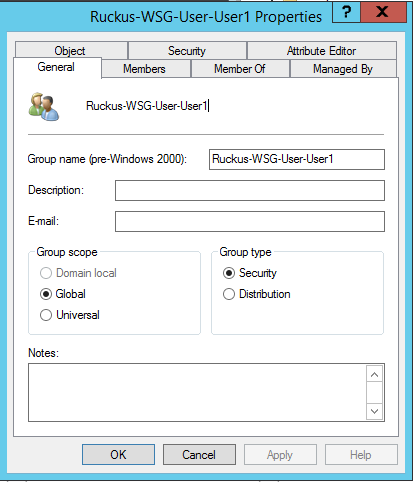
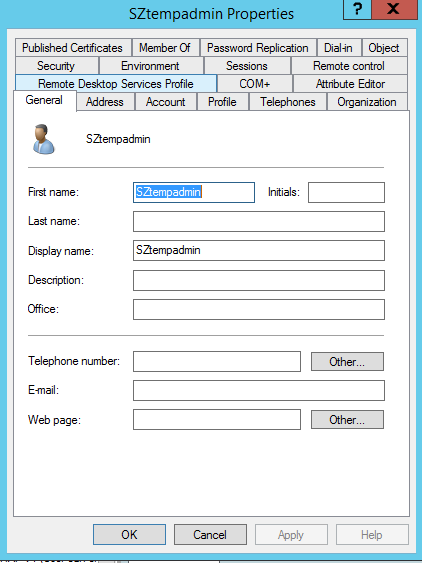
STEP-5: Create a new user in the AD and add it to the above user Group
STEP-6: Configuration in NPS
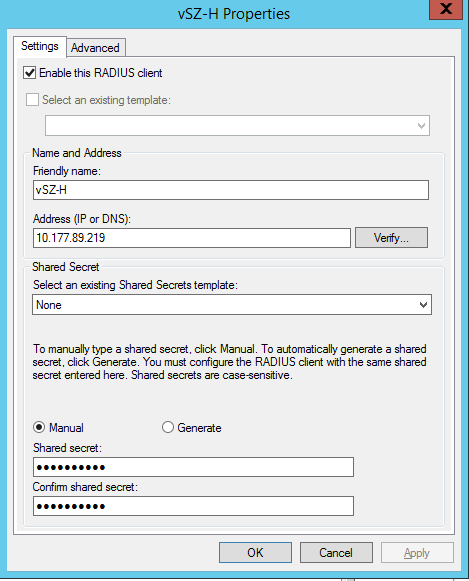
Add vSZ/SZ as the Radius Client in AAA
STEP-7: Creating Network Policy
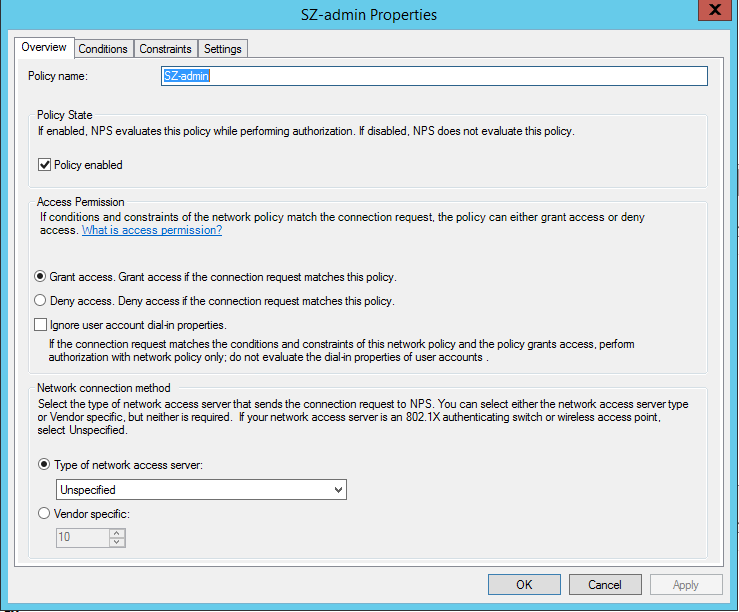
Map the User Group,
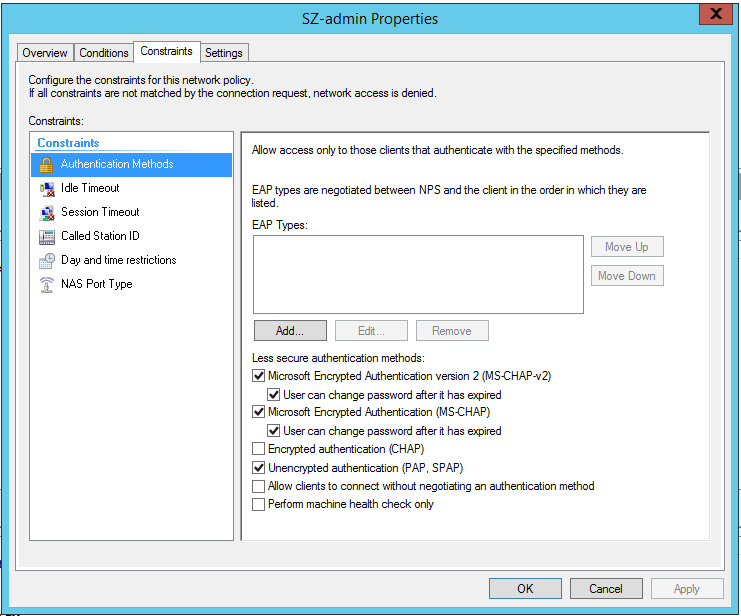
>Select the Authentication method,
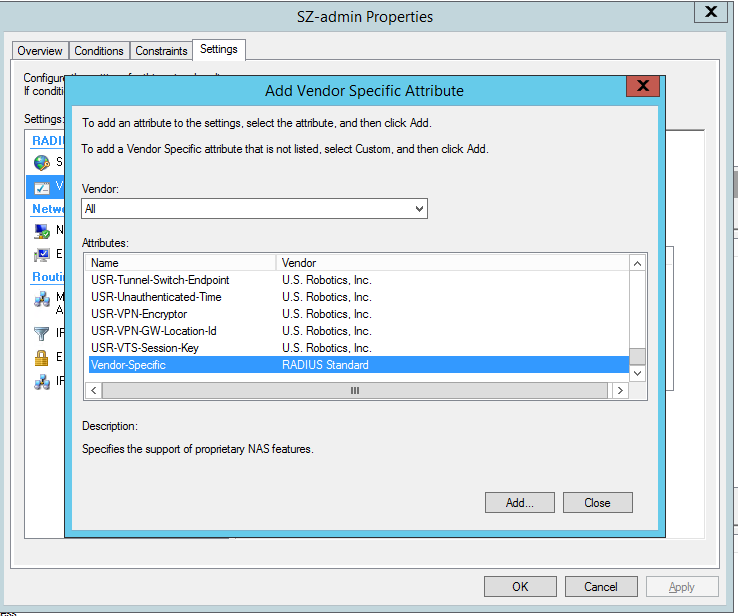
>In Settings, add the below
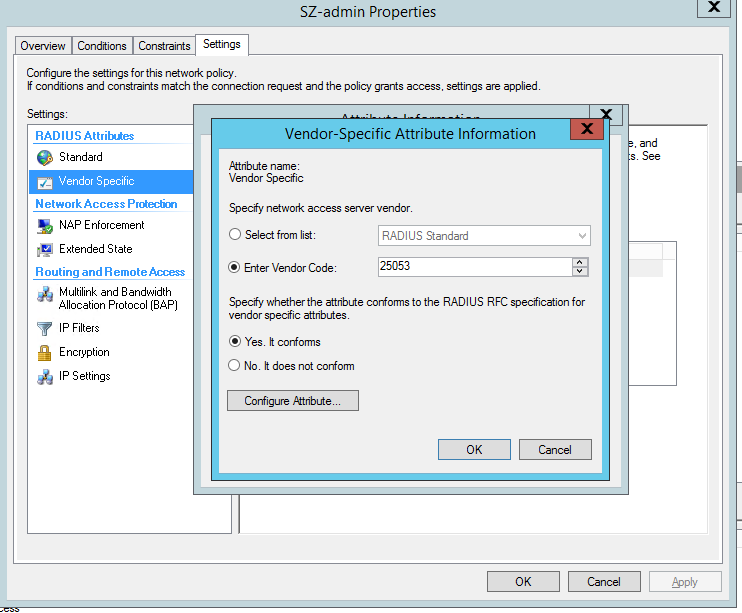
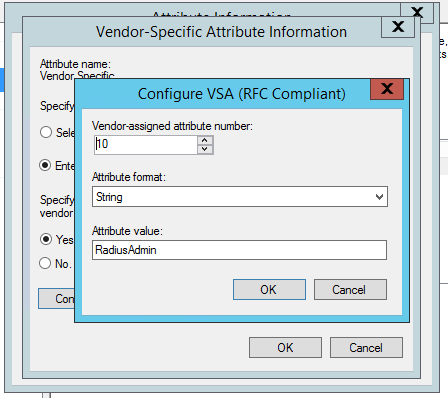
In Vendor-Specific Attribute, add Vendor Code as 25053 & AttributeValue as RadiusAdmin
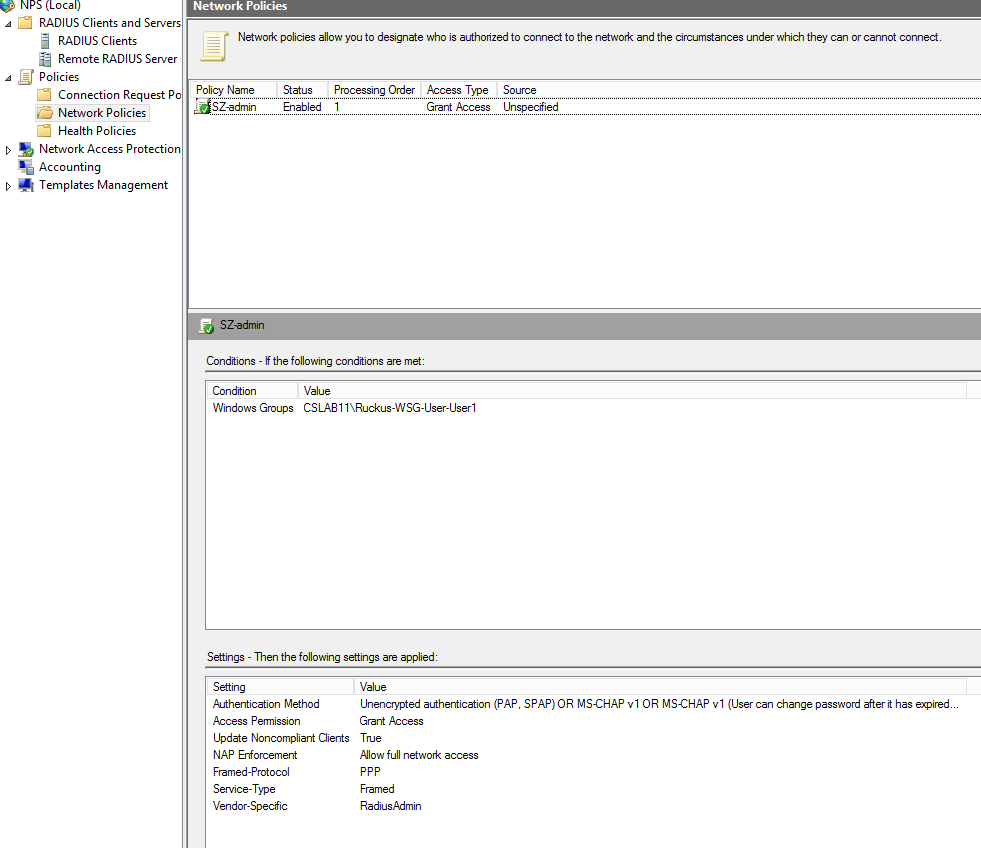
>Review your NPS policy
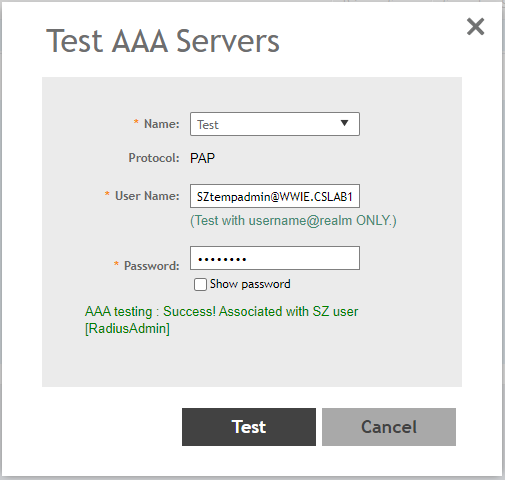
STEP-8: Perform AAA Test from the Controller
STEP-9: Test SZ login and should be allowed access to the Controller


