Note: Pressing and holding of the reset button will not factory reset the device, this will only restart the device
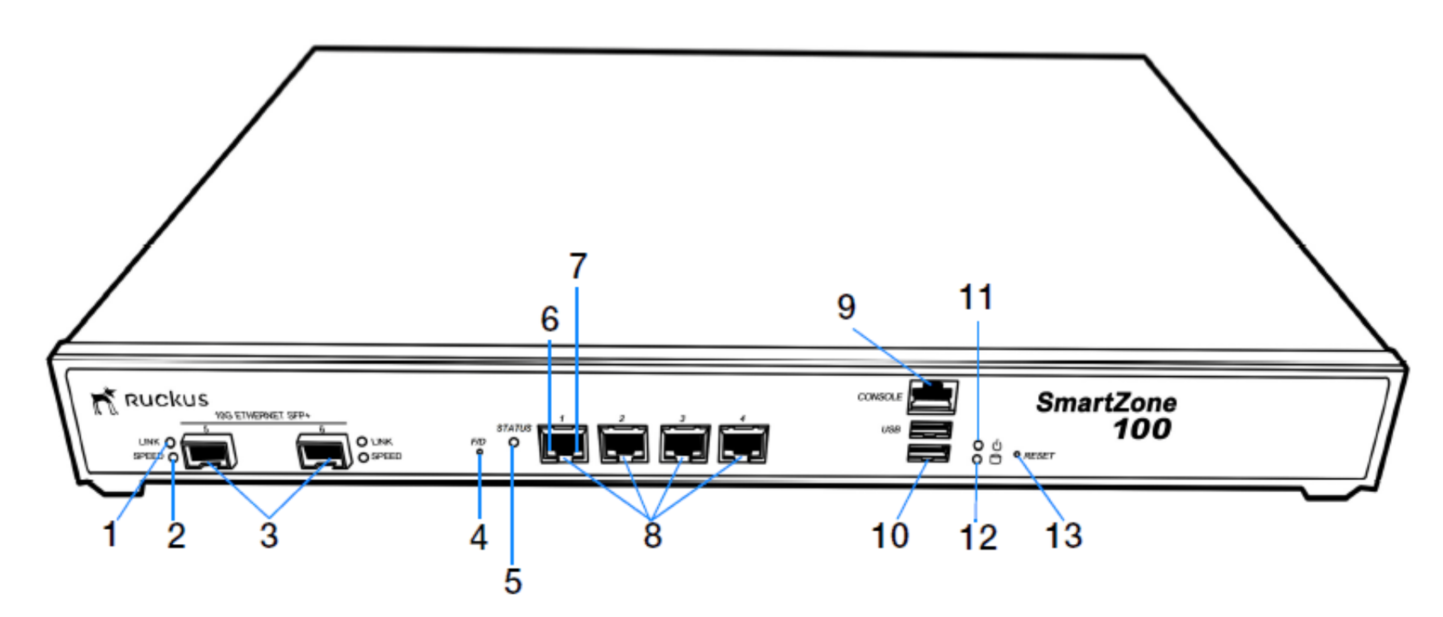
- Button 4 is called the f/d button which factory-defaults / factory-resets the device
- Press and hold for 10 seconds to activate the reset
- Button 13 is reset which is for restarting the device
- Press and hold for 5 seconds to activate the reset
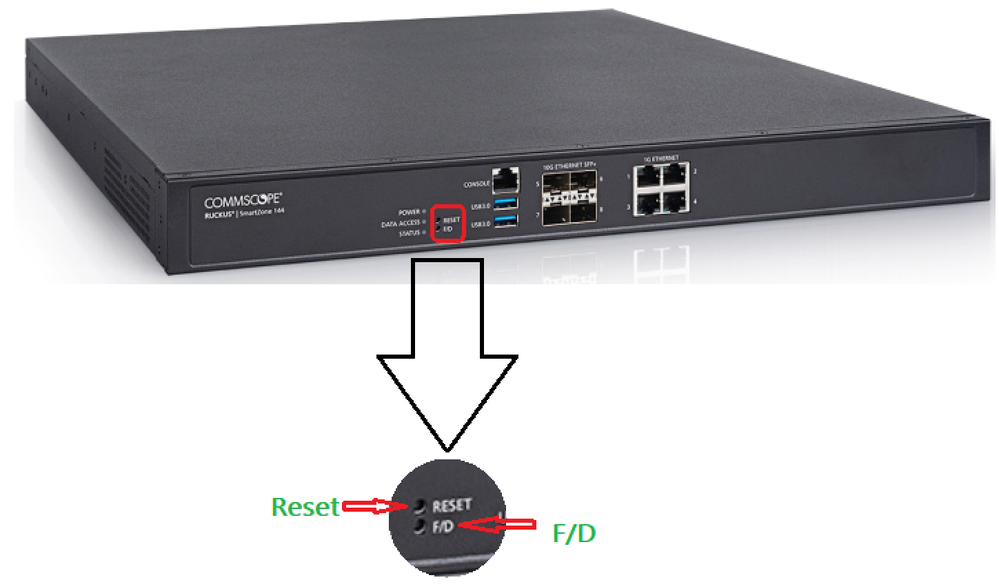
The location of the button is different for SZ144, please find the attached image for the location
Reference: RUCKUS SmartZone 100 Getting Started Guide
