As a Sr. Technical Support Engineer, I have encountered this issue and would like to share my experience here:
On the controller firmware version 3.6.x and above, the AP certificate check is enabled by default on the vSZ/SZ-based controllers. Therefore, APs with expired certificates will not join the controller.
Root Cause:
Ruckus's original device certificates expired in November 2016. Any device manufactured before November 2016 has the old certificate.
How do I know this is an AP certificate issue?
A. On the AP side:
- Log in to the AP CLI (SSH) and run the following command:
rkscli: get rpki-cert issuer
- The AP with the following output will not join the controller as it has an old certificate:
Issuer: Ruckus Wireless, Inc.
OK
If no alarms or events are generated on the controller and the AP is not listed in the SZ web GUI, we need to check the vSZ/SZ Snapshot log.
B. On the SZ side:
- How to download the snapshot log:
- Download the snapshot log from the controller GUI.
- Extract the log files.
- Navigate to
applogfiles -> nginx -> Access.logs and error.log. (Steps shown in the screenshots below)
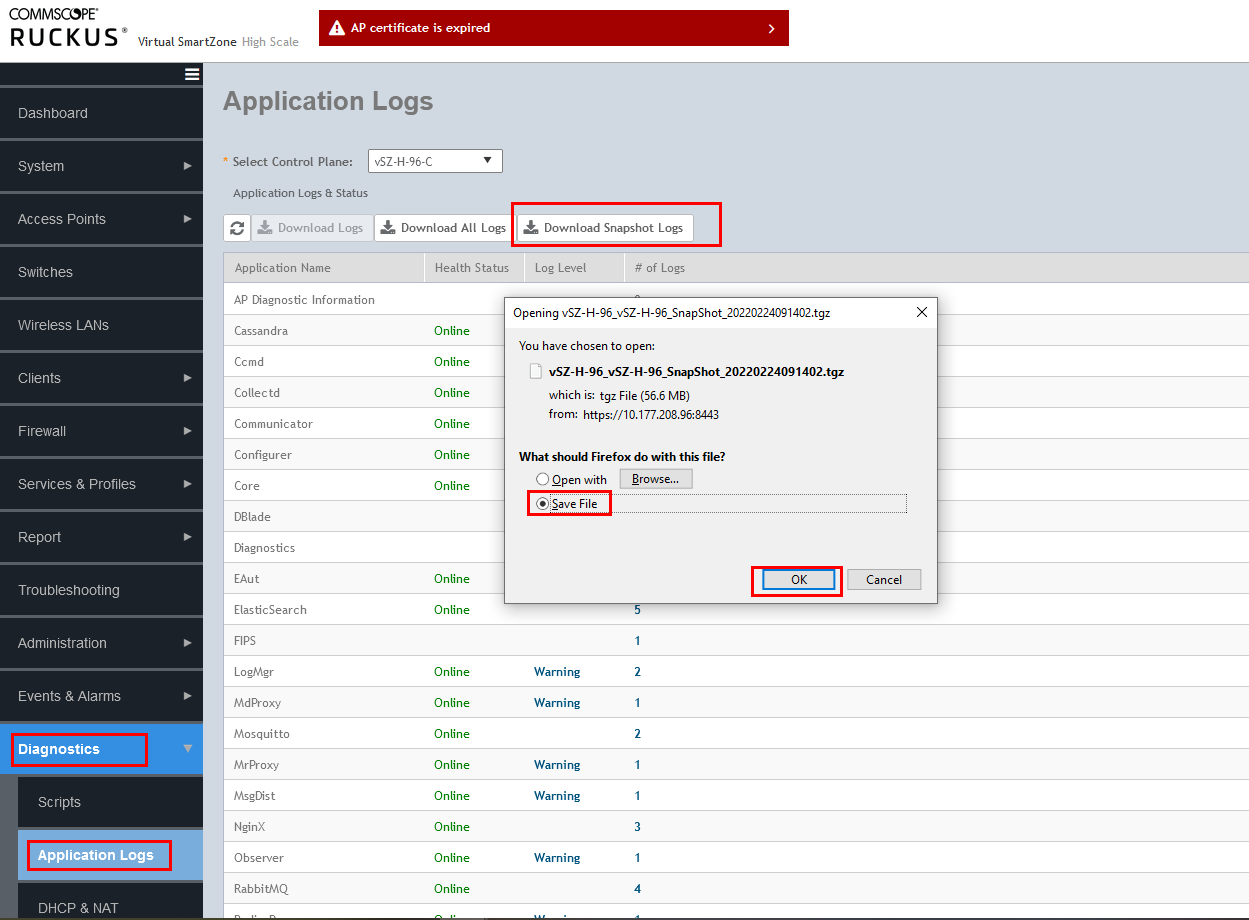
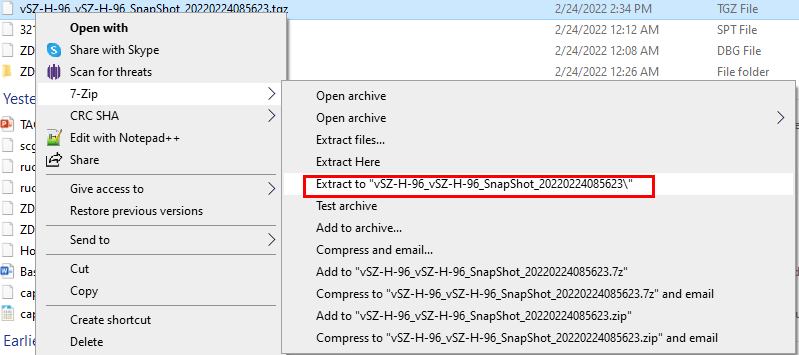

NOTE: In SZ/vSZ 6.0 and above, the file name is ap.log.
Screenshot from vSZ 6.0 snapshot:
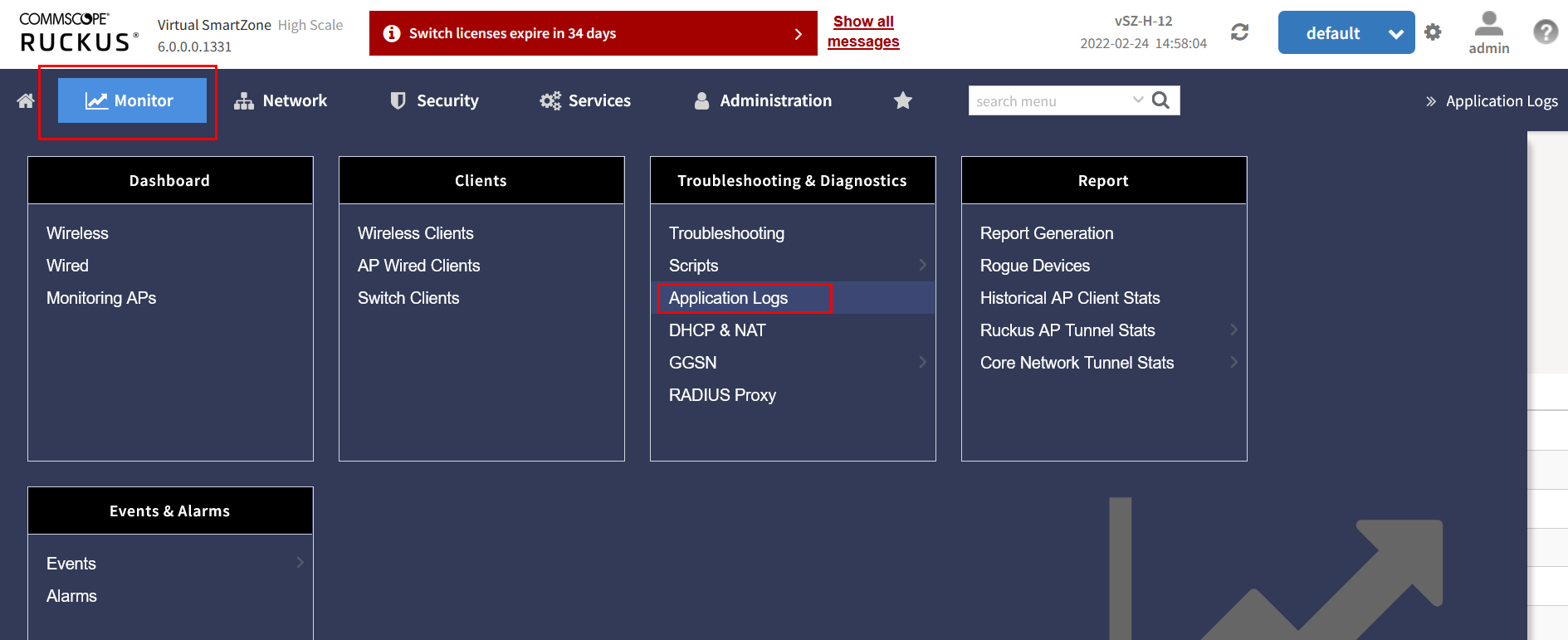
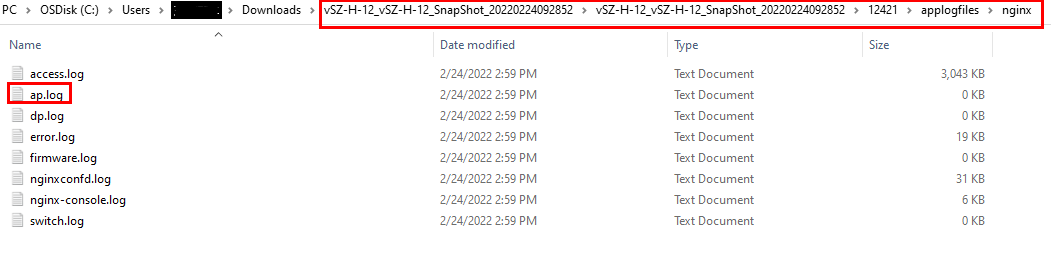
2. What to check in the log?
In the Access.log:
- Search for the AP’s MAC address:
::ffff:192.168.1.59:443 - - [17/Dec/2021:13:01:50 +0000] "PUT /wsg/ap/discovery/D4:68:4D:2B:94:70 HTTP/1.1" 400 208 "-" "-" "-" "0.038"
::ffff:10.177.82.127:443 - - [14/Feb/2022:08:29:06 +0000] "PUT /wsg/ap/discovery/4C:B1:CD:18:E3:30 HTTP/1.1" 400 0 "-" "-" "-" "10.001"
Error code 400 means "Bad request."
In the Error.log:
- Look for entries like:
2021/12/17 13:01:50 [warn] 22321#22321: *2684 This is not a trusted certificate, connection will be rejected. while reading client request headers, client: ::ffff:192.168.1.59, server: localhost, request: "PUT /wsg/ap/discovery/D4:68:4D:2B:94:70 HTTP/1.1", host: "192.168.1.31:443"
2021/12/17 13:01:50 [warn] 22321#22321: *2684 client SSL certificate verify error: (10:certificate has expired) while reading client request headers, client: ::ffff:192.168.1.59, server: localhost, request: "PUT /wsg/ap/discovery/D4:68:4D:2B:94:70 HTTP/1.1", host: "192.168.1.31:443"
II. How to solve it?
A. Allowing AP to join the controller:
Workaround: Disable the AP-cert check on the controller to allow the AP to join, then enable it again and follow the procedure to update the AP certificate.
-
To disable the AP cert check from the vSZ/SZ CLI (SSH):
ruckus>enable
password:
ruckus# config
ruckus(config)# no ap-cert-check
ruckus(config)# exit
-
To enable the AP cert check again:
ruckus>enable
password:
ruckus# config
ruckus(config)# ap-cert-check
ruckus(config)# exit
NOTE: If you disable the AP cert check to allow the AP to join, you need to upgrade the AP certificate as discussed in the given link: Ruckus Support.
B. Update the certificate locally in the AP:
- Access the AP GUI using either the default IP (192.168.0.1) or the DHCP-assigned IP in the web browser.
- Create a Certificate Request file:
- Go to Administration -> Management -> Certificate Verification -> Click on Request to release a new certificate. This will generate a .req file.
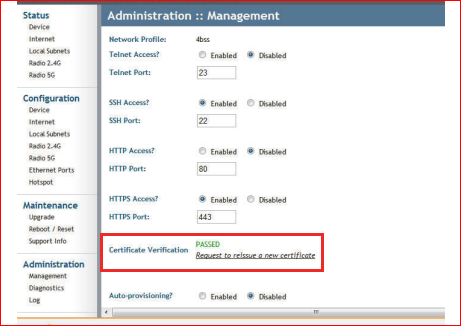
- Contact Ruckus Support to generate the .req file downloaded from the above step. (https://support.ruckuswireless.com/contact-us)
- Once you receive the .res file, access the AP GUI, go to Maintenance, then Upgrade. Select Local Method for the Upgrade. In Target selection, choose Device Certificate, then select the .res file and upload the certificate.
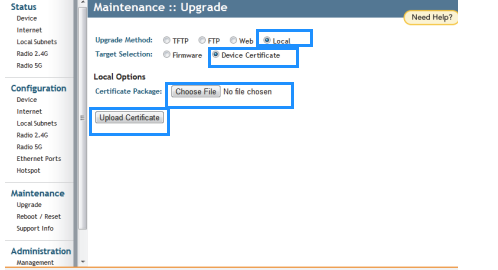
Note: This usually reboots the AP. If it doesn’t, manually reboot the AP by going to Maintenance, then Reboot/Reset, and click Reboot Now.
