As a Sr. Technical Support Engineer, I have encountered the following concern/issue from many users and would like to share my experience here:
Root Cause:
Ruckus's original device certificates expired in November 2016. Any device manufactured before November 2016 has the old certificate.
How to find an AP certificate:
- Log in to the AP CLI (SSH) and run the following command:
rkscli: get rpki-cert issuer
- The AP with the following output will not join the controller as it has an old certificate:
Issuer: Ruckus Wireless, Inc.
OK
Why do I see the warning "AP certificate is expired" on my controller dashboard?
vSZ/SZ versions prior to the 3.6.x firmware release do not have AP-cert check enabled by default. Therefore, the APs that joined the controller before 3.6.x and were later upgraded to 3.6.x or above will display the following error message/warning on the controller dashboard.

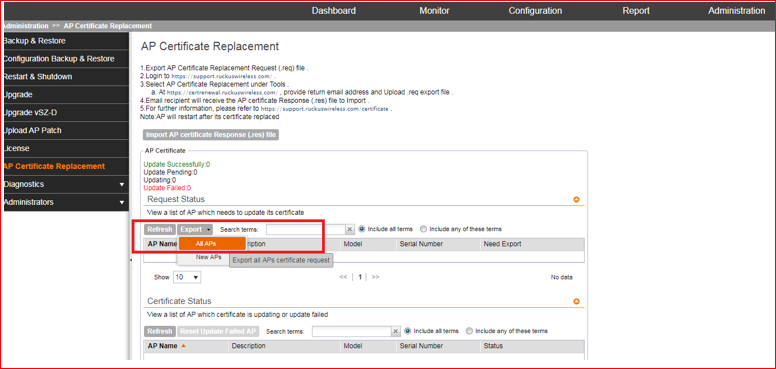
Export the All AP Certificate file from the controller (the below screenshot is from the older versions pre-5.x and 3.6.x): -
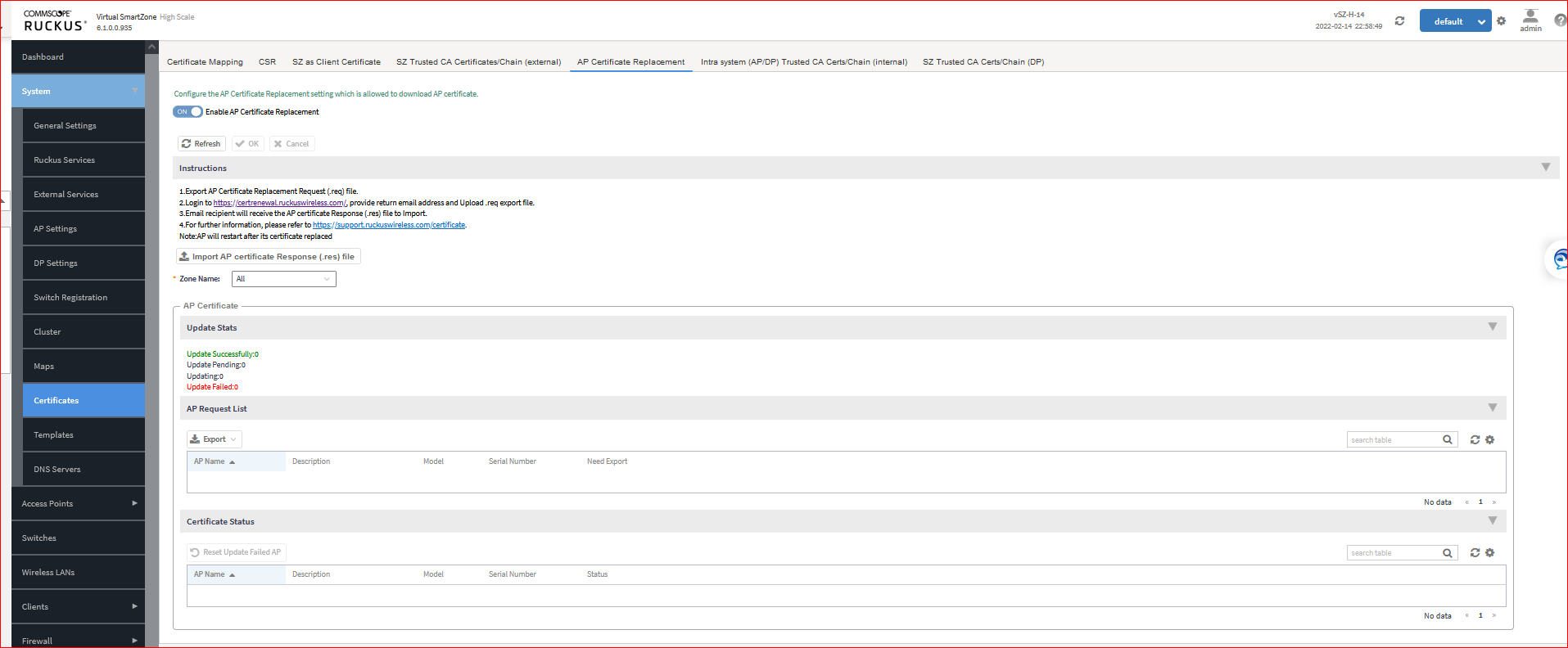
Here is a screenshot from the updated vSZ/SZ firmware version (above 3.6.x): -

It displays the page shown below:
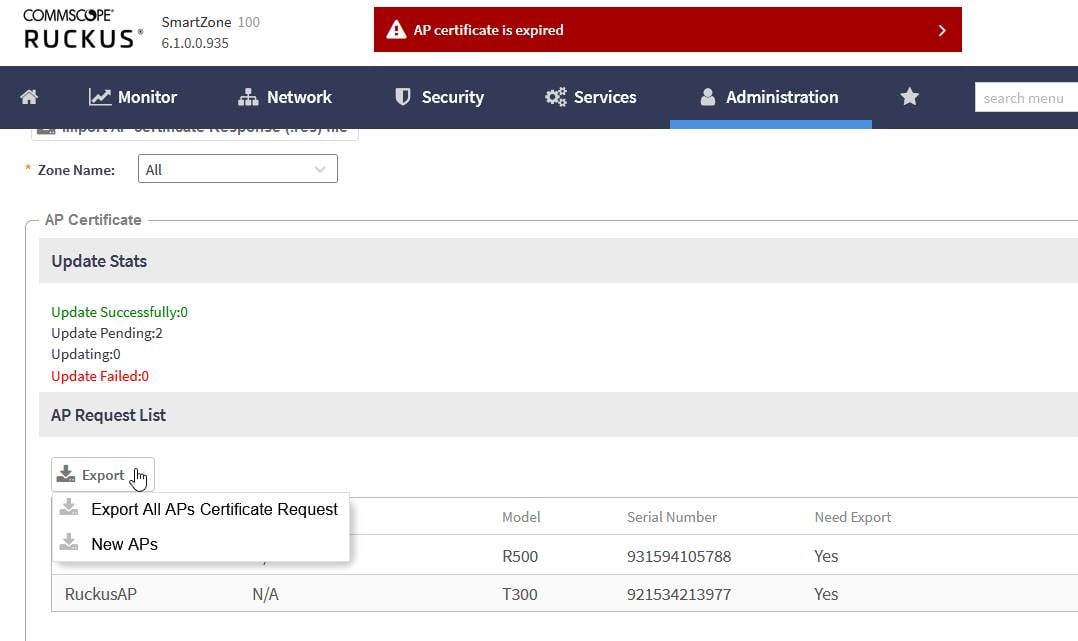
- Click on Export, then choose either Export All APs Certificate Request or New APs, depending on which AP needs the certificate update, to generate the .req file.
- Contact Ruckus Support to generate the .req file downloaded from the above step. (https://support.ruckuswireless.com/contact-us)
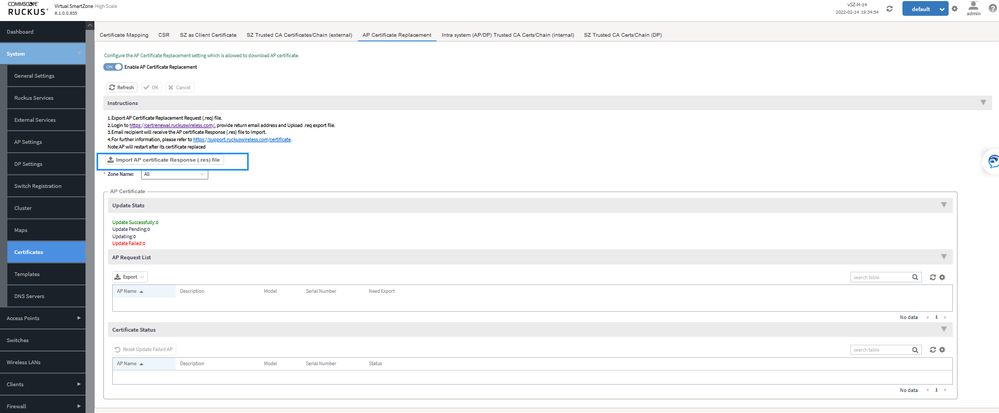
- Once you receive the file, go to the same location on the controller and select 'Import AP Certificate Response (.res) file.'
4. This process will take some time, and the AP will refresh its certificates.
