Hi @Jdh22141 ,
Greetings!!!
Thank you for contacting RUCKUS Lennar Home Community.
I hope you are doing well!!!
Thank you for the information you shared.
As per the case description, I understand that you are facing issues while connecting to the Ruckus network.
Could you please let us know the answers to the below queries to assist you better?
1. Was this working before or is it a new installation? If it worked before, was there any power outage before you started facing this issue?
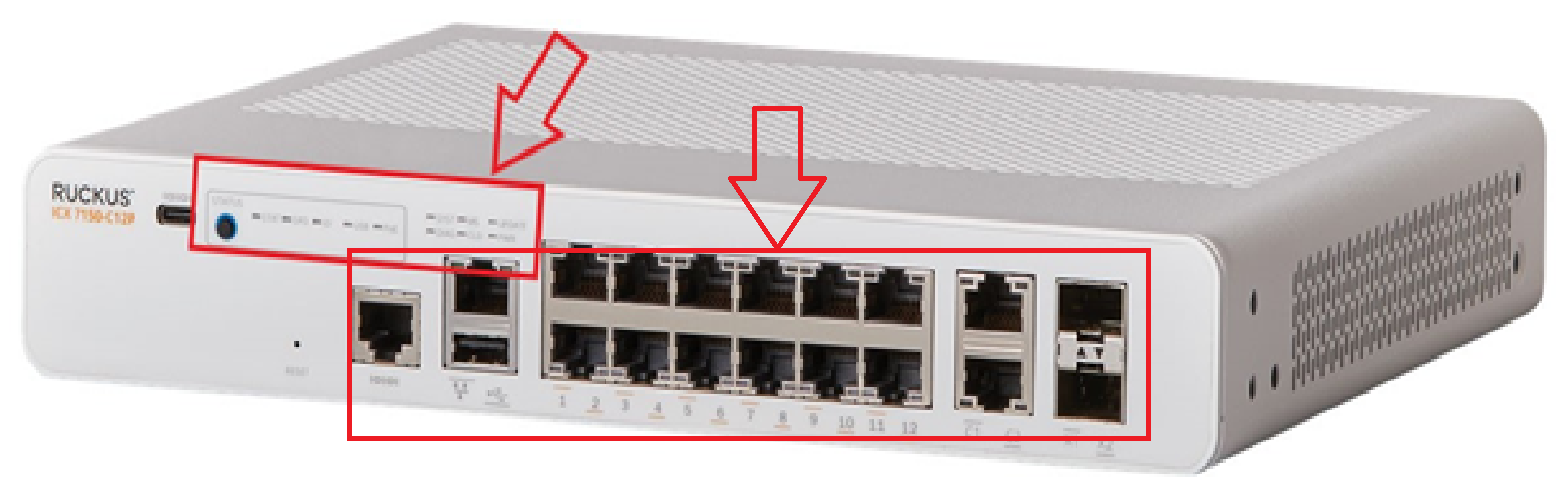
2. On your switch while it's plugged into the outlet, do you see any lights on? (Amber or green) Please let us know which lights are on. (Please refer to the below picture and share a picture of the same, showing the light status and the FULL Switch panel cable connections to the Switch ports)
3. Is your Internet Connection from the Internet Service Provider (ISP) stable and working? (You could check this by connecting to your local router Wi-Fi or from an ethernet cable from the Router to a laptop/PC).
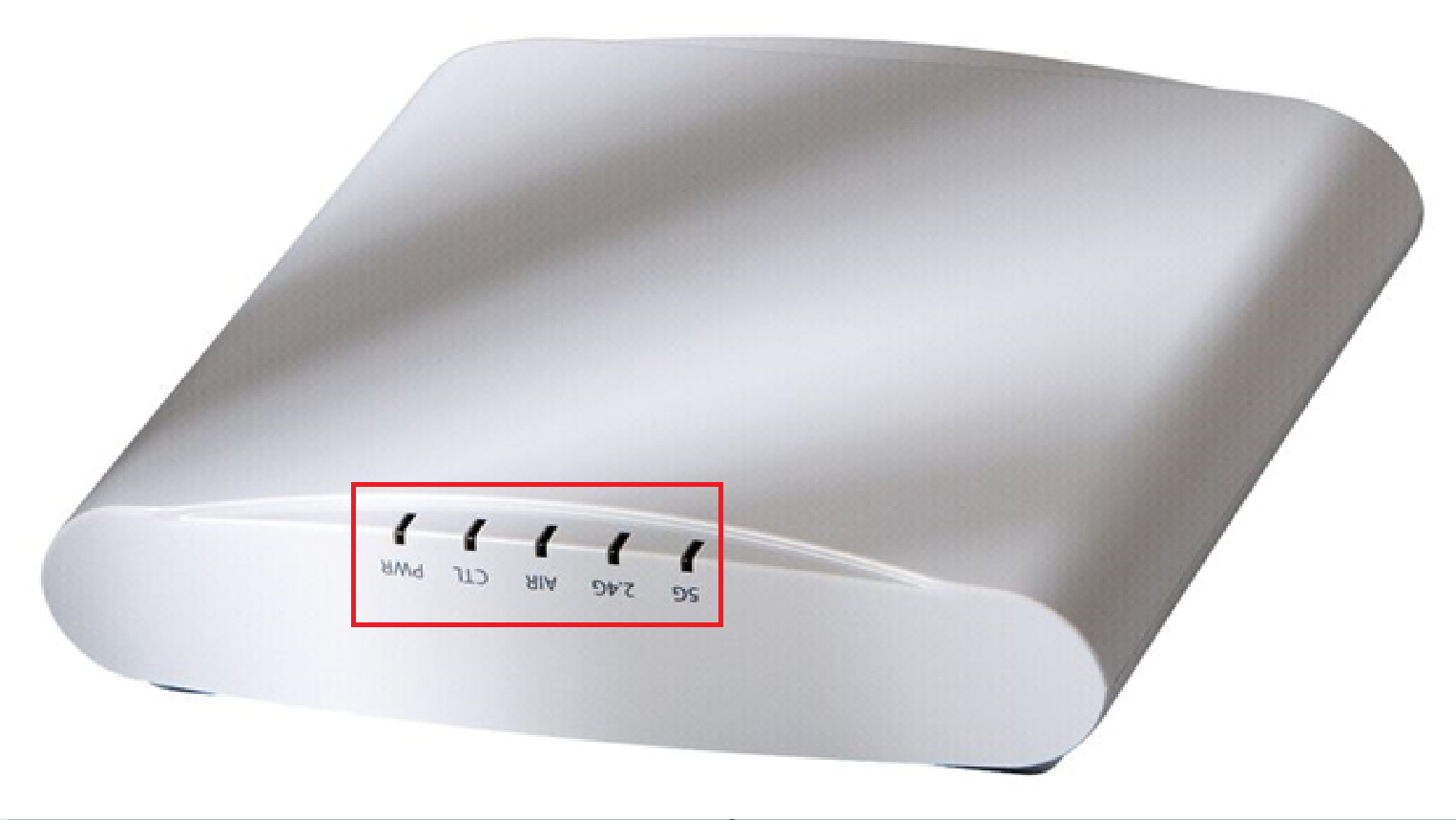
4. May I know how many Access Points are connected to the Switch? Could you please let me know the light status on the Access Points? Any of these lights are on (Please refer to the below picture and share a picture of the same)
Please help us with pictures of your ICX-7150-C12P Switch showing the status of the lights and cable connections to the Switch ports. Also, light the status of Access Points.
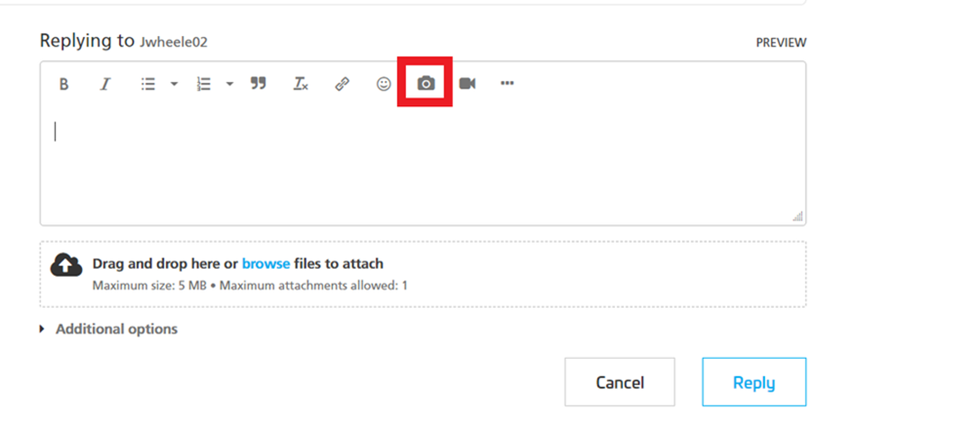
Before uploading the photos please log in to the RUCKUS account and you can upload the image.
Please let me know the answers to ALL the above queries and let me know if you have any queries in this regard.
Thank you again for your patience.
Best regards,
Pinky Rajendran
RUCKUS Lennar Home Community
Hello @Jdh2214 ,
Greetings!
This is a follow-up in reference to the case you have opened in the Ruckus Lennar Support Community.
I would like to know if you require further assistance since our last correspondence. Should you have any questions or if the status of your case has changed, please let me know by responding to this post.
Please feel free to contact if you have any further concerns regarding the same.
RUCKUS Lennar Home Community.
Hi @Jdh2214
Thank you for your recent correspondence and the information.
Based on the case information provided, it appears that you are encountering issues with the RUCKUS Setup.
We may need to check some configurations of your RUCKUS ICX-7150-C12P Switch to troubleshoot this issue.
To proceed with troubleshooting the issue, please follow the steps outlined below to access the Command Line Interface (CLI) and provide the necessary command outputs:
1. First, identify the current IP address assigned to the switch ICX-7150-C12P by your local router. You can use an IP scanner tool to easily locate the switch's IP address on your network. Here is a guide on how to perform this using IP Scanner free applications:
/kb/articles/10-how-to-find-the-ip-address-of-the-ruckus-devices-switch-and-aps-using-ip-scanner-free-applications
2. Once you have identified the IP address of the switch, proceed to access the Command Line Interface (CLI) of the RUCKUS ICX-7150-C12P switch. Here is a guide on how to access the CLI:
/kb/articles/8-how-to-access-the-command-line-interface-cli-of-the-ruckus-icx-7150-c12p-switch
If you can access the Command line the prompt should look like below:
ICX7150-C12 Router> OR
ICX7150-C12 Switch>
3. After successfully accessing the CLI, please execute the following commands and provide the outputs:
enable
show version
show flash
show inline power
show inline power detail
show interface brief
Please share the command outputs or screenshots if you encounter any issues or errors during these steps.
Feel free to reach out if you have any questions or require further assistance.
Thank you for your cooperation and patience.
Best regards,Imran SanadiRUCKUS | Lennar Home Community Support
These are my 2 Access Points and my modem. I'm having issues, I have my ISP come out and confirm its the Ruckus.