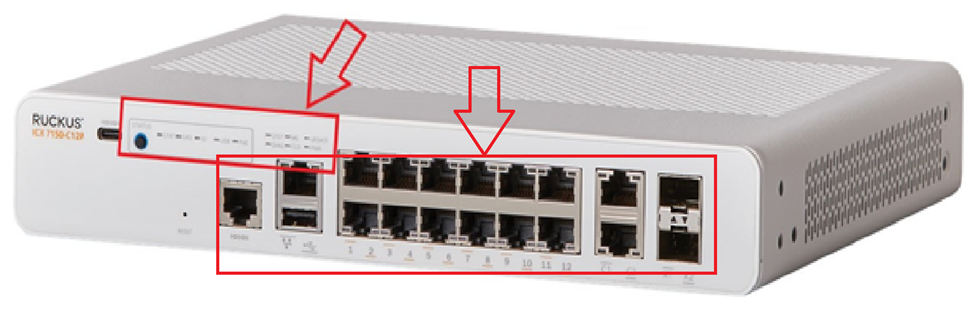
The AP's are connected and functioning. They are updated via the unleashed browser. The AP go down every hour with the message:
AP[8c:fe:74:36:81:90] joins with uptime [90479] s and last disconnected reason [Heartbeat Loss]
The unleashed Web UI shows the switch is disconnected. The switch is on version
ICX7150-C12 Switch>show version
Copyright (c) 2017 Ruckus Wireless, Inc. All rights reserved.
UNIT 1: compiled on Apr 3 2018 at 15:27:41 labeled as SPS08070b
(25605164 bytes) from Primary SPS08070b.bin
SW: Version 08.0.70bT211
The switch is not able to ping my device (mac) nor can the Mac ping the switch. Therefore TFTP to transfer the image is not working. The Web UI to switch was working but now has stopped.
The switch ip and configuration
ip address 192.168.X.3 255.255.255.0 dynamic
ip default-gateway 192.168.X.1 dynamic
The switch connects to a TPLink router provided by ISP.
ICX7150-C12 Switch>show interfaces brief
Port Link State Dupl Speed Trunk Tag Pvid Pri MAC Name
1/1/1 Down None None None None No 1 0 d4c1.9e87.c64c
1/1/2 Up Forward Full 1G None No 1 0 d4c1.9e87.c64d
1/1/3 Down None None None None No 1 0 d4c1.9e87.c64e
1/1/4 Up Forward Full 1G None No 1 0 d4c1.9e87.c64f
1/1/5 Up Forward Full 100M None No 1 0 d4c1.9e87.c650
1/1/6 Down None None None None No 1 0 d4c1.9e87.c651
1/1/7 Down None None None None No 1 0 d4c1.9e87.c652
1/1/8 Down None None None None No 1 0 d4c1.9e87.c653
1/1/9 Up Forward Full 1G None No 1 0 d4c1.9e87.c654
1/1/10 Down None None None None No 1 0 d4c1.9e87.c655
1/1/11 Down None None None None No 1 0 d4c1.9e87.c656
1/1/12 Down None None None None No 1 0 d4c1.9e87.c657
1/2/1 Down None None None None No 1 0 d4c1.9e87.c659
1/2/2 Up Forward Full 1G None No 1 0 d4c1.9e87.c65a
1/3/1 Down None None None None No 1 0 d4c1.9e87.c65b
1/3/2 Down None None None None No 1 0 d4c1.9e87.c65c
mgmt1 Down None None None None No None 0 d4c1.9e87.c64c
Please help in getting the switch to work and help address the heartbeat issue