Hi @Nikkilee
Greetings!!!
Thank you for reaching out to the Lennar Home Community.
I hope this message finds you well.
We appreciate the detailed information you have provided.
Based on your description, it appears that you are experiencing difficulty logging into the RUCKUS Unleashed application and web browser.
This issue commonly arises when your RUCKUS Access Points are running an outdated version that prevents access to the Unleashed application.
To assist you further, could you please provide us with the following details:- Log in to your Unleashed system using a laptop web browser with the Master AP IP Address or visit https://unleashed.ruckuswireless.com/ Kindly check and share a screenshot of the current version of your Unleashed Access Points.If you encounter difficulties accessing the above link or if you are unsure of the IP Address of your Access Points, please refer to our guide on finding the IP Address of the Access Point:
/kb/articles/10-how-to-find-the-ip-address-of-the-ruckus-devices-switch-and-aps-using-ip-scanner-free-applications
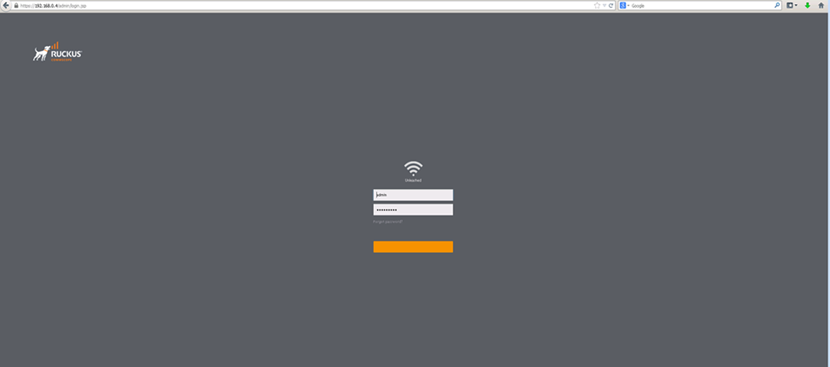
You should see the below-Unleashed dashboard after finding the IP Address of the AP. Try to log in
Once you have located the IP Address of the Access Point and accessed the Unleashed dashboard, please proceed with the following steps:1. Log in to the Unleashed system and upgrade your RUCKUS Unleashed system to the recommended version as described in the below RUCKUS Lennar Knowledge Base self-help article.
/kb/articles/9-ruckus-unleashed-access-points-upgrade-process-to-the-recommended-firmware-version
2. After upgrading all Access Points, uninstall the current Unleashed application and install the updated version.3. Attempt to log in again and verify functionality.
Should you have any questions or require further assistance, please do not hesitate to contact us.
Thank you for your patience and cooperation.
Best regards,Imran SanadiRUCKUS | Lennar Home Community Support
I trust this message finds you well.
I kindly request an update on the status of the issue so that we may proceed further with resolving it.
Thank you.
The first option does not work. Following your local upgrade alternate method with the link download firmware patch it just has notes now software
This download didn't work it was just decoded into notes with the link you gave me.
Greetings.Thank you for your response.
To assist you further, please follow the steps below:
• Since some options are currently grayed out, please use the Mozilla Firefox web browser to perform the Unleashed upgrade.• Ensure your laptop is connected to the RUCKUS Wi-Fi network.• Log in to your Unleashed system using a laptop web browser by entering the Master AP IP Address, or go to:https://unleashed.ruckuswireless.com/
If you are unable to access the link or are unsure of the Access Point IP Address, please refer to the guide below on how to locate it:/kb/articles/10-how-to-find-the-ip-address-of-the-ruckus-devices-switch-and-aps-using-ip-scanner-free-applications
Please let me know how it goes or if you have any questions.
Thank you again for your patience and understanding.
I used Firefox search engine, did the upgrade, made sure I was on my unleashed network. it finished the upgrade and I still cannot log in using my admin admin user name and password. When I try to log in on my phone it says connect to unleashed network and I am
after trying to update software it gives me this screen
Hi @Nikkilee,
Thank you for your response and update.
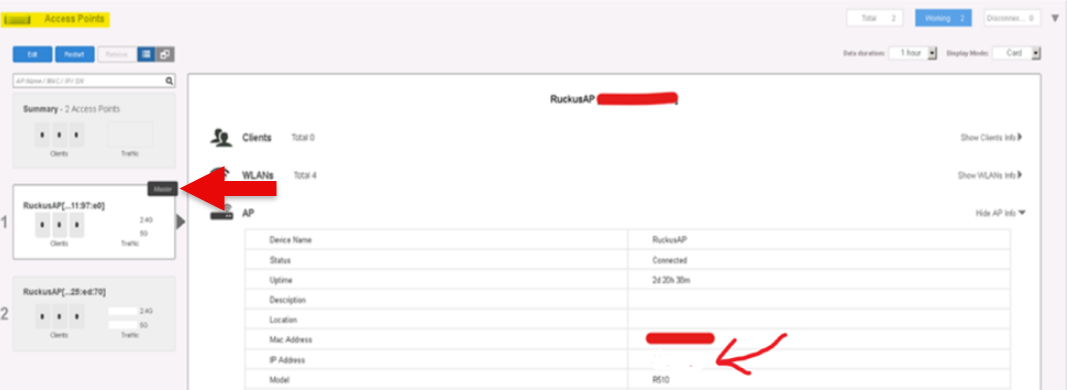
If the link is not working, please check the IP address of the Master Access Point from the web browser where you were previously able to access the system. The screenshot below indicates where the Master Access Point IP address can be found. Once you find it access it in the FireFox Browser to proceed with Unleashed upgrade.
Please let me know how it goes.
The link is working. I did as directed, after the software is trying to update it gives me this screen, I am assuming that is why the software is never updated. I wait all the way to the end and it doesn't prompt me to re login it just gives me this screen page saying this
WHen I put in the IP address the can't be reached page pops up