After 5yrs of living in this home with the Lennar / Ruckus system, first time seeing this type of error. Did numerous searching prior to this post but yet still dealing with every 12hr alert of "heartbeat loss"
Hi @scott_kennedy
Greetings!!!
Thank you for reaching out to the Lennar Home Community.
I hope this message finds you well.
We appreciate the detailed information you have provided.
Based on your description, it appears that you are experiencing Heartbeat Loss on the RUCKUS Unleashed Application.
This issue may arise when your RUCKUS Access Points and Application are running an outdated version.
To assist you further, please follow the steps below.- Log in to your Unleashed system using a laptop web browser with the Master AP IP Address or visit https://unleashed.ruckuswireless.com/. Kindly check and share a screenshot of the current version of your Unleashed Access Points.If you encounter difficulties accessing the above link or if you are unsure of the IP Address of your Access Points, please refer to our guide on finding the IP Address of the Access Point:
/kb/articles/10-how-to-find-the-ip-address-of-the-ruckus-devices-switch-and-aps-using-ip-scanner-free-applications
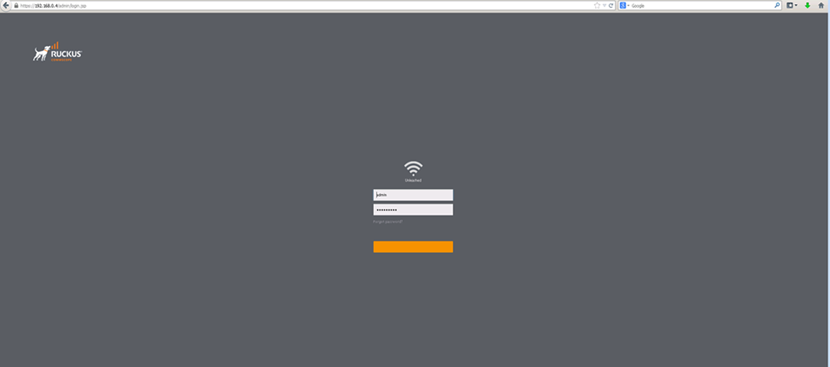
You should see the Unleashed dashboard below after finding the IP Address of the AP. Try to log in
Once you have located the IP Address of the Access Point and accessed the Unleashed dashboard, please proceed with the following steps:1. Log in to the Unleashed system and upgrade your RUCKUS Unleashed system to the recommended version as described in the below RUCKUS Lennar Knowledge Base self-help article.
/kb/articles/9-ruckus-unleashed-access-points-upgrade-process-to-the-recommended-firmware-version
2. After upgrading all Access Points, uninstall the current Unleashed application and install the updated version.3. Attempt to log in again and verify functionality.
Should you have any questions or require further assistance, please do not hesitate to contact us.
Thank you for your patience and cooperation.
Best regards,Imran SanadiRUCKUS | Lennar Home Community Support
Sorry, bare with me as I'm not too famialir with networking etc. Please see attached screenshot from my app showing latest version
Thank you for your response and the update.
Could you please uninstall the application from your mobile device, then install the latest version (15.155.1) and try logging in again?
Kindly let me know the outcome so we can proceed accordingly.
Thank you once again for your patience and understanding.
I was showing I was already running 15.155.1, regardless I deleted the application and re-downloaded.