When I try to log in, it doesn't recognize my email or password, even though I used it in February and it won't let me reset it
Hi @TMKski08 Greetings!!!
Thank you for contacting the RUCKUS Community forums.
Could you please let me know if this is a Lennar Home RUCKUS setup?
Please confirm.
Thank you again.
Best regards,Imran SanadiRUCKUS | Lennar Home Community Support
Yes, it is a Lennar Home. It was set up back in 2019 when we bought the home. A week ago, we had to get a new Spectrum Router, and now I cannot log into the Ruckus APP, it doesn't recognize my login credentials. I also cannot connect my front door deadbolt now. Last activity it shows was before I got the new Spectrum Router.
Yes, this is a Lennar home.
It was set up back in 2019 when we bought the home. We recently got a new Spectrum Router and having issues connecting my front door deadbolt to WiFi (it needs 2.4G, won't work with 5G). Also, when I try to log into the App on my phone, it does not recognize my login credentials, which I used in February, and I cannot select "forgot password", it says recovery is not set up.
Hi @TMKski08
Thank you for the response and the update.
Please try logging in to your Unleashed system from a laptop web browser using either:
The Master Access Point’s IP address, or
https://unleashed.ruckuswireless.com
If you're unable to log in via the above link or do not know the IP address of your Access Point, please refer to the following guide to locate it:
/kb/articles/10-how-to-find-the-ip-address-of-the-ruckus-devices-switch-and-aps-using-ip-scanner-free-applications
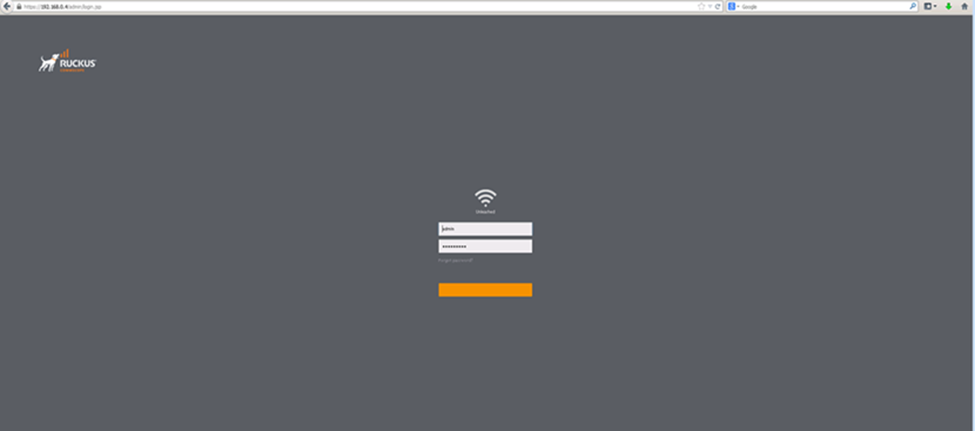
Once you find the IP address and access the Unleashed dashboard, you should see the interface shown in the screenshot below. Please attempt to log in and check if the username/passwords work here.
With this information, we’ll be able to assist you further.
Feel free to reach out if you have any questions or need further assistance.
Thank you again for your patience and understanding.
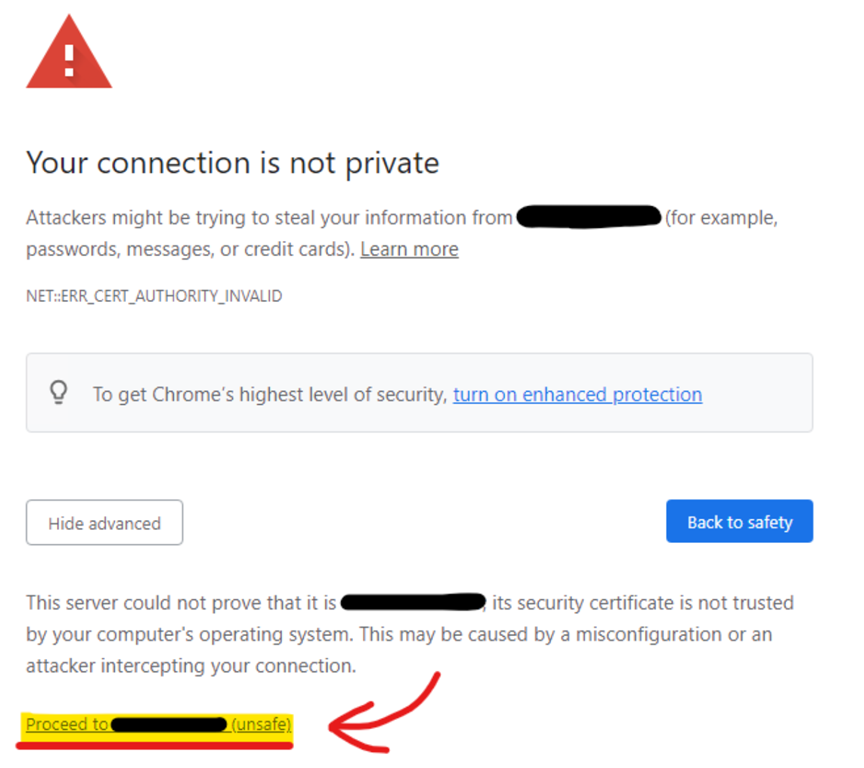
I just tried the https://unleashed.ruckuswireless.com and it says my connection isn't private!
Please note that the “connection not secure” dialogue is normal behavior.
You could just click on proceed, as highlighted in the screenshot below.
Please let me know if you have any queries in this regard.