Setting the surround or sub with Ruckus Wi-Fi due to Ruckus's handling of multicast and broadcast traffic, which Sonos relies on for communication
This are the ones needed to check on Internet Service Provider , if dont have an access to the router settings:Wifi mode should be set to b/g/nDon't set the wireless channel to Auto ( Set it to 1,6, 11)Change 2.4 GHz bandwidth to 20 MHz only.Set security type to WPA/WPA2Band Steering should be enabledUPNP should be enableQoS turned it offIGMP Proxy turned it OffIGMP Snooping turned it onFast Roaming, Beamforming and Wireless Isolation should be OffTurn off Firewall / Disable Block Internet Access / Disable Parental Control” Can I get help in configuring the network to allow the Sonos to connect?
Hi @MrTners Greetings!!!
Thank you for reaching out to the RUCKUS Community Forums.
Could you please confirm if this inquiry is related to a RUCKUS setup in a Lennar Home?
Looking forward to your response.
Best regards,Imran SanadiRUCKUS | Lennar Home Community Support
Hi Imran,
I believe so. I was directed to this forum from a phone call with the support team. I am in a new build home and it is installed here
Hi @MrTners
Greetings!!!
Thank you for reaching out to the RUCKUS Lennar Home Community.
We appreciate your patience and understanding as we work to resolve the issues you are experiencing with your RUCKUS setup.
Based on the information provided, it appears that you are encountering issues with SONOS connected to the RUCKUS Wi-Fi.
We apologize for any inconvenience this has caused and are committed to assisting you promptly.
To assist you with your RUCKUS Access Points, please provide the following details:
Log in to your Unleashed system from a laptop web browser using either:
The Master Access Point’s IP address, or using link https://unleashed.ruckuswireless.com
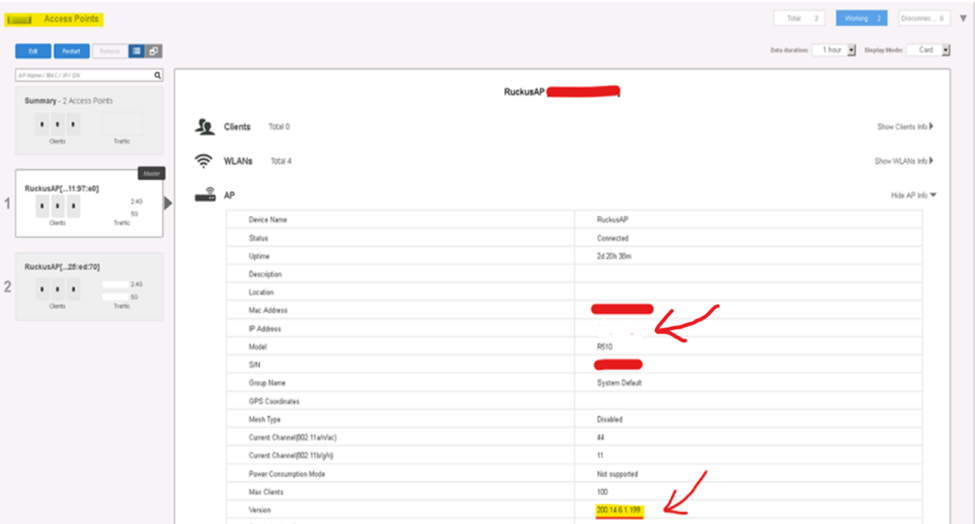
Once logged in, please check the current firmware version and IP address of your Unleashed Access Points and share a screenshot of the dashboard.
Note: Make sure your laptop is connected to the same Internet Provider network to which RUCKUS devices are connected while attempting access.
If you're unable to log in via the above link or do not know the IP address of your Access Point, please refer to the following guide to locate it:
/kb/articles/10-how-to-find-the-ip-address-of-the-ruckus-devices-switch-and-aps-using-ip-scanner-free-applications
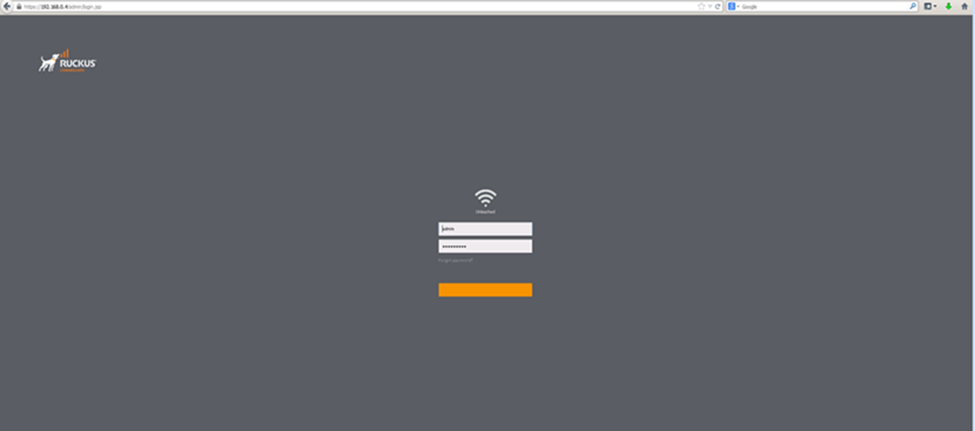
Once you find the IP address and access the Unleashed dashboard, you should see the interface shown in the screenshot below. Please attempt to log in and share the requested information.
With this information, we’ll be able to assist you further.
Feel free to reach out if you have any questions or need further assistance.
Thank you again for your patience and understanding.
Okay, a couple issues when I tried to follow these instructions.
1. The link provided above does not work, and instead gives this error message when accessed:
Check if there is a typo in unleashed.ruckuswireless.com.