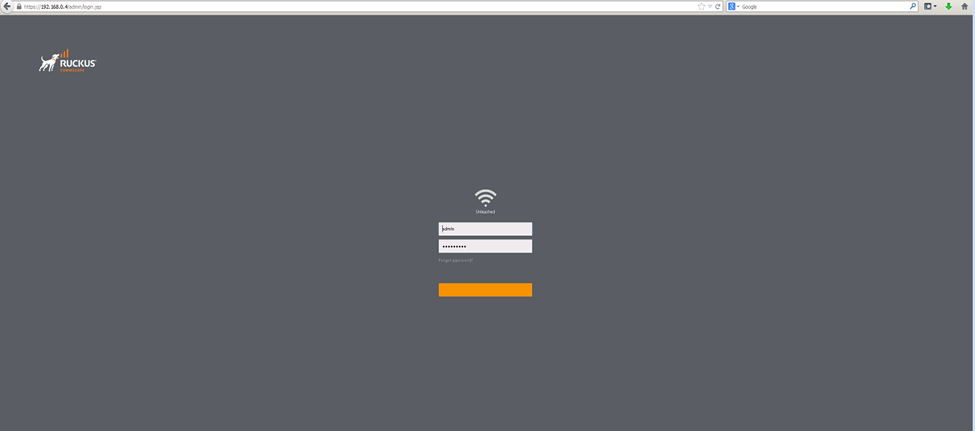
I haven’t logged on my unleash app in a while and now it’s telling me I’m not connected to unleash network
Imran
I did the update, delete and reinstall the app and everything is working fine now . It’s also updated to the new version you mentioned. Thank you so much
Hi @Famous1
Thank you for your response and the update.
That’s great to hear! I’m glad that you were able to upgrade the Unleashed, and the issue has been resolved.
We truly appreciate your time and patience throughout this case.Thank you once again for reaching out to the RUCKUS Lennar Home Community. Should you have any further questions or need assistance in the future, please don’t hesitate to contact us.
Wishing you a wonderful day ahead!
If your issue has been fully addressed, please click the Kudos button and mark the responses as an Accepted Solutions.
Best regards,Imran SanadiRUCKUS | Lennar Home Community Support
Hello @Famous1,
Greetings!!!
Thank you for contacting RUCKUS Lennar Home Community.
I hope you are doing well!!!
Thank you for the information you shared.
As per the case description, I understand that you are unable to login to the Unleashed app.
Could you please log in to your Unleashed system on a LAPTOP WEB BROWSER using the AP IP Address OR https://unleashed.ruckuswireless.com/ ?
To assist you further, I would require few configurations from your Switch.
Please follow the below steps and help us with the queries,
1) To check this, we must identify the ‘current’ IP address assigned by your local router to the switch ICX-7150-C12P
I will leave you a guide on how to perform an IP scanner on your local network to identify the switch IP address very easily.
How to find the IP Address of the RUCKUS Devices (Switch and APs) using IP Scanner free applications:
/kb/articles/10-how-to-find-the-ip-address-of-the-ruckus-devices-switch-and-aps-using-ip-scanner-free-applications
2) Once we identify the IP address of the switch proceed to access remotely to the device “Command Line”
/kb/articles/8-how-to-access-the-command-line-interface-cli-of-the-ruckus-icx-7150-c12p-switch
If you can access the Command line should look like this:
ICX7150-C12 Router> OR
ICX7150-C12 Switch>
Please enter the below commands once you log in to CLI and share the output.
Note: Hit Enter to accept each command
enable
show version
show flash
Please share the output of the above commands or share the screenshots if stuck at any step or error (if any) and let me know if you have any queries in this regard.
Thank you again. We appreciate your patience and understanding.
Best regards,
Pinky Rajendran
RUCKUS Lennar Home Community.
Omg! This is so technical. Can you call me instead
So I did it and I’m at the part that says switch
Hello so I was able to reach as far as doing all the commands
Hi @Famous1 ,
Thank you for the response.
If you can’t access using the above link and don’t know the IP Address of the Access Points. Please refer to the below guide to find the IP Address of the Access Point to get the requested information.
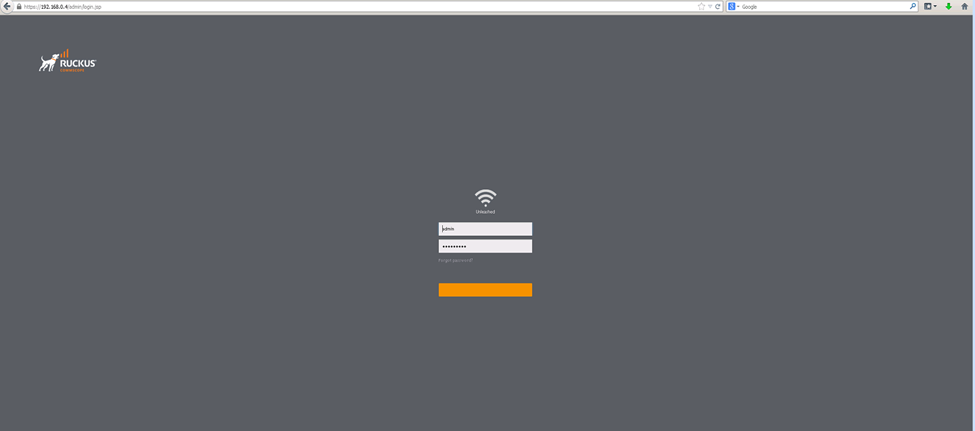
You should see the below-Unleashed dashboard after finding the IP Address of the AP. Try to log in
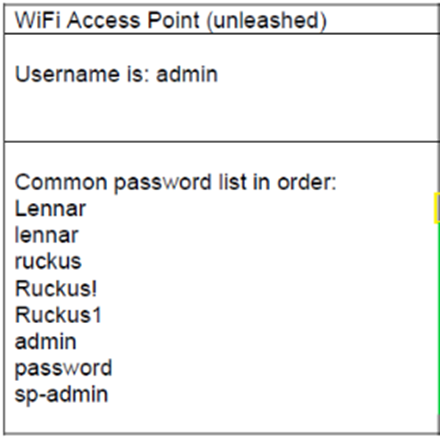
Once you see the above dashboard, please try to use the default combination credentials as mentioned below.
Please check the current version of your Unleashed Access Points and share a screenshot of the same.
Please refer to the below screenshot for more information on how to know your Unleashed Access Points version details.
Please help us with the above requested information and let us know if you have any queries in this regard.
Thank you again for your patience and understanding.
Regards,
RUCKUS Lennar Home Community
For reason I cannot pull up the log in page even though I know the IP address for the SWITCH
Hello @Famous1 ,
Thank you for the reason.
You will need to login to the browser using the IP address of the Access point, and not the Switch.
Please check the IP Addresses from the IP scan results, by the name of Ruckus Wireless or Ruckus-Unleashed to confirm the IP address of the Unleashed Access Points.
Please let us know if you have any queries in this regard.
Thank you for your patience and understanding
So where do I put the IP address info because I can’t get to the sign on page at all
I know the IP address and I have a Mac laptop
I understand that you are having the IP address of the Access point.
You may please log in to your Unleashed system on a LAPTOP WEB BROWSER using the Access point IP Address OR https://unleashed.ruckuswireless.com/.
Once you see the dashboard, please try to use the default combination credentials as mentioned below to login to the Access points using the browser.
Thank you for your patience and understanding.
Greetings!
This is a follow-up in reference to the case you have opened in the Ruckus Lennar Support Community.
I would like to know if you require further assistance since our last correspondence. Should you have any questions or if the status of your case has changed, please let me know by responding to this post.
Please feel free to contact if you have any further concerns regarding the same.
Pinky, I’m still not able to login with the credentials you sent me. None of them worked. With “admin” being the username and all the other list passwords. None of them worked!
From the response, I understand that you are unable to login to the Unleashed dashboard using the credentials I have shared in the previous post.
For us to assist you further, could you please share the screenshot of the Unleashed dashboard where you are getting error ?
Still not working
this is what popped up after I typed in the website you gave me. I’m using a Mac Laptop
Thank you for your response.
Kindly proceed by clicking on "Show Details" and continue, as this is expected behavior and safe to proceed.
After proceeding, you will be prompted to enter your username and password.Please use the password combinations provided in the previous post.
Didn’t work
Could you please share a screenshot of the error or the point where you are getting stuck?