Hi,
I flipped all the switches on my electricity breakers box to fix some other issue, but my wi-fi stopped working since then. No lights are blinking on the WAP box. Please help.
Thanks,
Viji
Hi @vijaya173 Thank you for the information,
Have you checked this article?
NO Power on Access Points and ICX-7150-C12P Switch with GREEN lights on SYST & PWR and PoE disabled
Please check and let me know if that works.
Thank you again for your patience and understanding. Kind regards,
Sofia Gätjens
Thanks for your help!
I followed the steps shown in the link. I don't see Ruckus in the list from Advanced IP scanner. Please see the attached screenshots. Please advice.
Thanks!
Hi @vijaya173 Please try this way:How to console in the ICX-7150-12CP 'Ruckus SwitchKind regards,
I followed the steps. Nothing is shown in putty. It just opened a black screen with a small green rectangle. Please see the following screen shots.
Please advice.
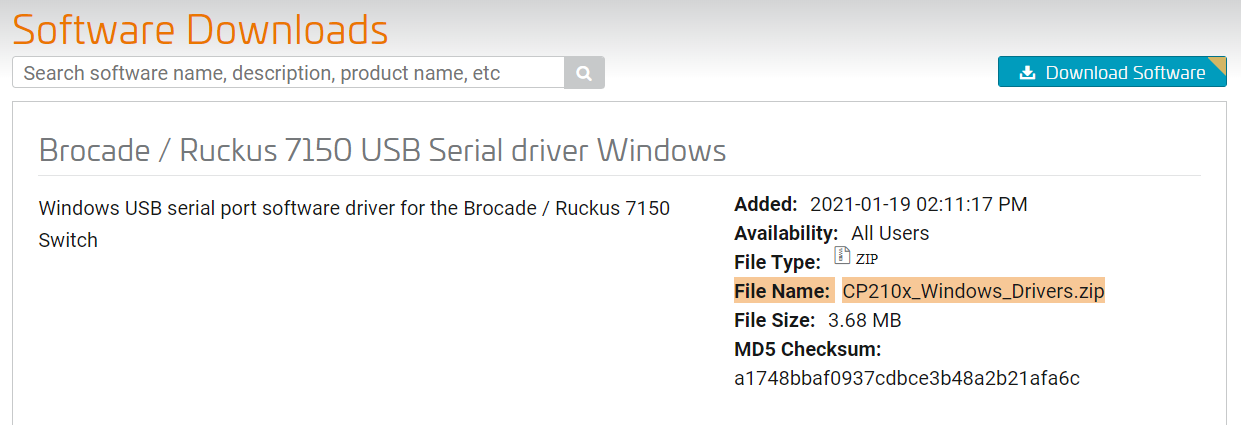
Hi @vijaya173 To access by console you must install a driver so that the workstation/pc/desktop or laptop can recognize the cable
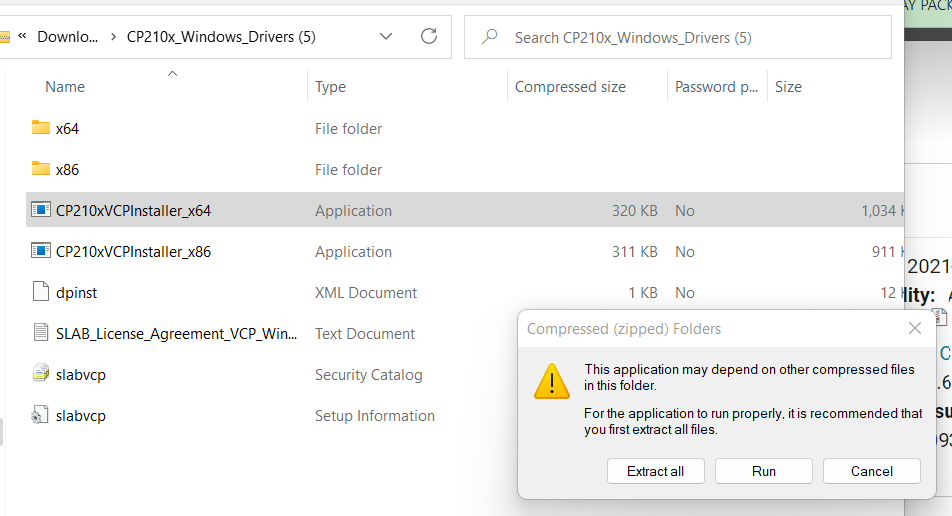
Make sure to download the zip drive for the file below & "extract all". Once it's extracted, run the file ,driver should be installed.
Link:https://support.ruckuswireless.com/software/1414-brocade-ruckus-7150-usb-serial-driver-windows
Please install the drivers, and then attempt to access again.Feel free to contact me if you have questions.
Kind regards,
Hi @vijaya173 Based on the troubleshooting done, your ICX-7150-C12P Switch is not powering up, and when plugged in, it flashes an amber light and then goes dark. And you confirm that the Switch is plugged into a well-known outlet/power source. However, the failure persists. This Switch unit Should be RMA (Return Merchandise Authorization) in simple words replacing it.
Feel free to contact us via chat, comment you already have a post, copy the link from the post (URL), and paste it into the chat to start the unit replacement.
Please follow the steps as shown in the below example:
As shown in the below picture, copy the link and share it via chat from the link provided below:
The below link is to contact us by chat (only)
https://support.ruckuswireless.com/contact-us
Did I answer your queries? If yes, hit the Kudos buttons and also accept the answers as Accepted solutions.
Please let me know if you have any queries in this regard.
Thank you again for your patience and understanding.