Hi @Garychou229
Greetings!!!
Thank you for reaching out to the RUCKUS Lennar Home Community.
We appreciate your patience and understanding as we work to resolve the issues you are experiencing with your RUCKUS setup.
Based on the information provided, it appears that you are encountering issues with RUCKUS ICX-7150-C12P Switch.
We apologize for any inconvenience this has caused and are committed to assisting you promptly.
We recommend attempting a physical factory reset multiple times, as outlined in our RUCKUS Lennar Knowledge Base self-help article accessible through this link and VIDEO:
/kb/articles/11-process-for-performing-a-physical-factory-reset-hard-reset-on-the-ruckus-icx-7150-c12p-switch
Video link: https://www.youtube.com/watch?v=6jHMTdo_hK4
If the initial reset attempts do not resolve the issue, please try resetting your switch multiple times (approximately 20-25 times) using the method described in the article. In some cases, repeated attempts have successfully resolved similar issues. Upon successful reset, the SYST and PWR lights should turn GREEN.
Please proceed with these steps and let me know if the switch powers on successfully afterward.
Thank you for your patience and cooperation in this matter.
Best regards,Imran SanadiRUCKUS | Lennar Home Community Support
I trust this message finds you well.
I kindly request an update on the status of the issue so that we may proceed further with resolving it.
Thank you.
Thank you for the response.
We appreciate the information you provided regarding your RUCKUS ICX-7150-C12P Switch not powering on.
To proceed, we kindly request that you follow the steps outlined below:
1. Take out your Switch from the cabin. Plug your ICX-7150-C12P Switch into a functioning power outlet.
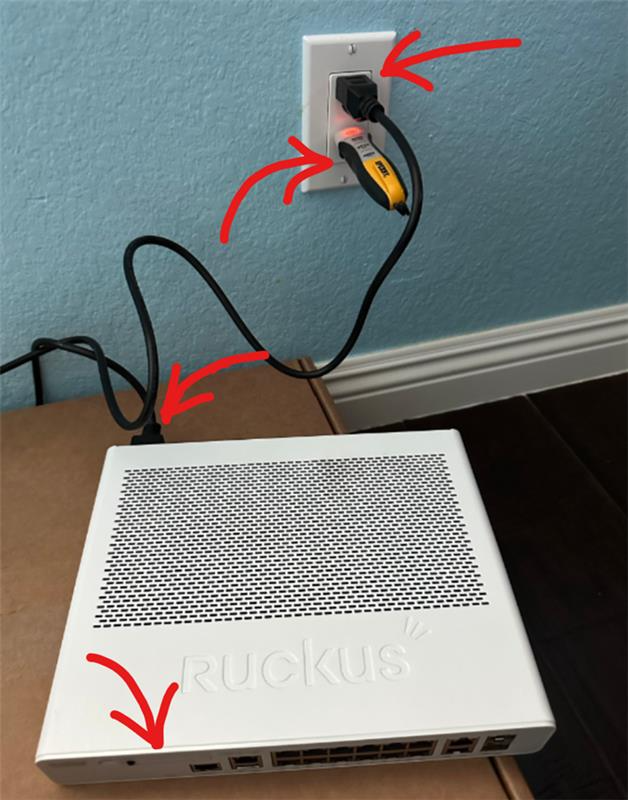
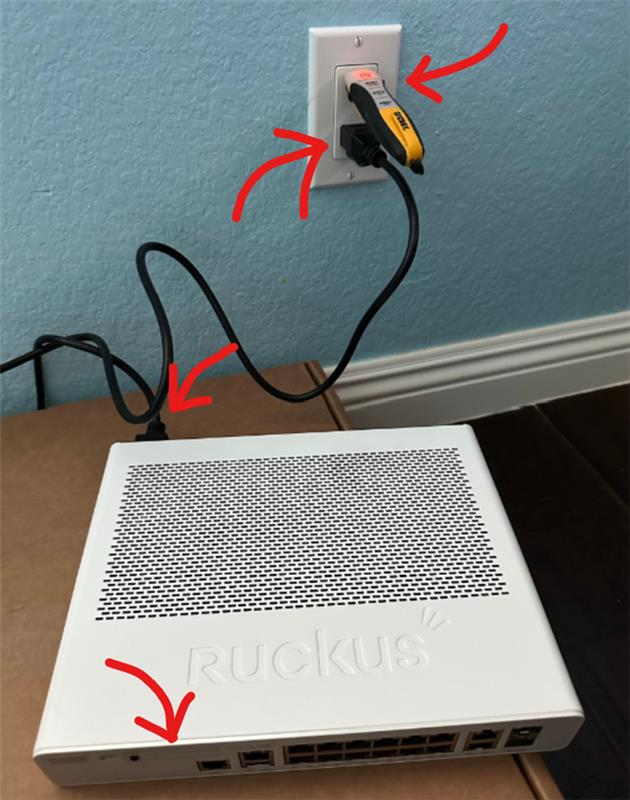
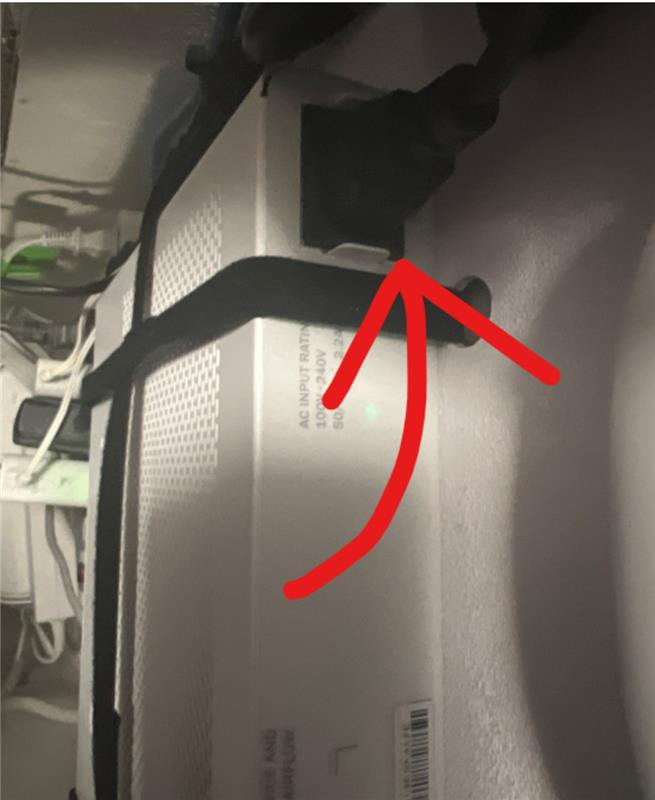
2. Capture both pictures and a video of the switch, focusing on the following:
- The status of the lights on the switch.
- The cord connected to the switch.
- The switch plugged into a working power outlet.
We recommend referring to the example pictures provided below to ensure clarity in capturing the required details:
Please use the provided link to upload a video. We advise referencing the EXAMPLE VIDEO in the Google Drive link provided to ensure consistency in the recording:
Kindly shoot a video similar to the EXAMPLE Video provided in the link.
In the video, please ensure to capture the following:
1. Show the plug of the ICX-7150-C12P Switch being connected to a working outlet.
2. Simultaneously, display the light status on the switch.
https://drive.google.com/drive/folders/16lG-j0MSKzjqBJSY4rsgh4myUlseA9bz?usp=sharing
Should you have any queries or require further assistance, please do not hesitate to reach out. We are here to help.
Thank you for your cooperation, patience, and understanding.