My ICX 7150 stopped sending power to my 3 AP's. I've followed several help forums and have done hard resets (unplugging and holding the reset button for 10s) and the AP's have yet to power back on.
Hi @kyledickover
Greetings!!!
Thank you for reaching out to the RUCKUS Lennar Home Community.
We appreciate your patience and understanding as we work to resolve the issues you are experiencing with your RUCKUS setup.
Based on the information provided, it appears that you are encountering intermittent internet connectivity.
We apologize for any inconvenience this has caused and are committed to assisting you promptly.
To better assist you, could you please provide the following information:
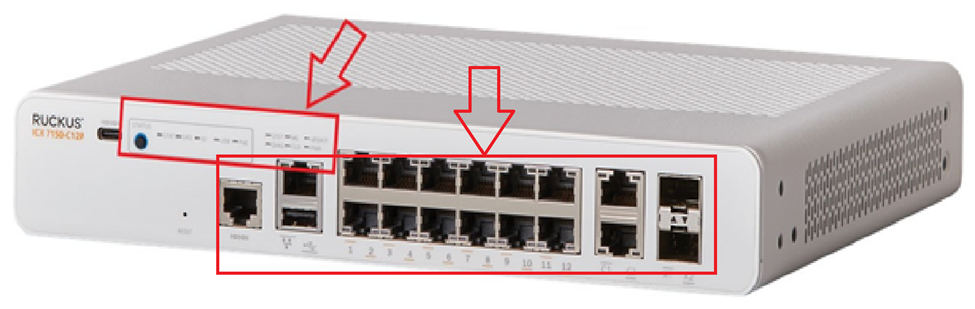
1. Were there any power outages before the issue began?2. When your switch is connected to the outlet, do you observe any illuminated lights (amber or green)? Kindly describe which lights are visible. Additionally, please provide a photo showing the status of the lights and the full switch panel with cable connections to the switch ports.
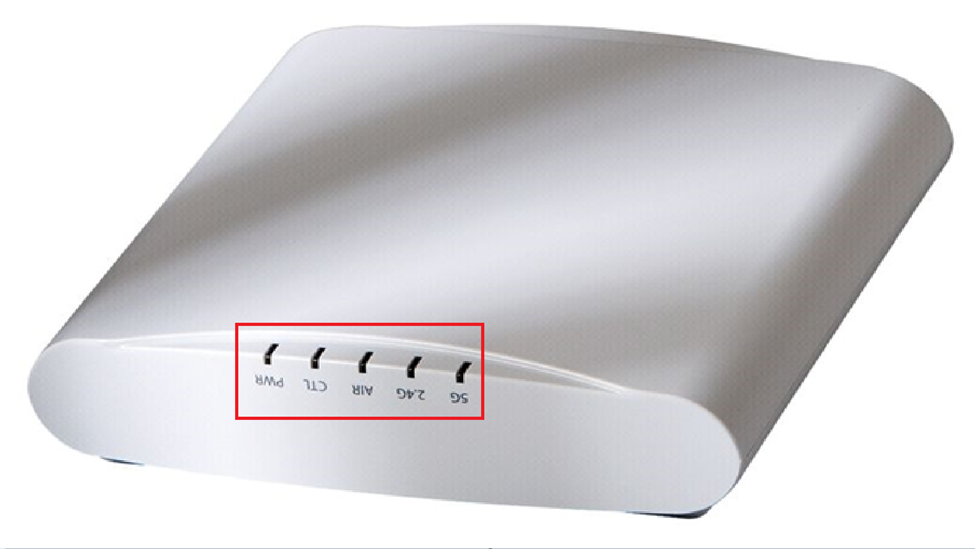
3. How many access points are currently connected to the switch? Please describe the status of the lights on the access points. Similarly, include a photo showing the access points' light status.
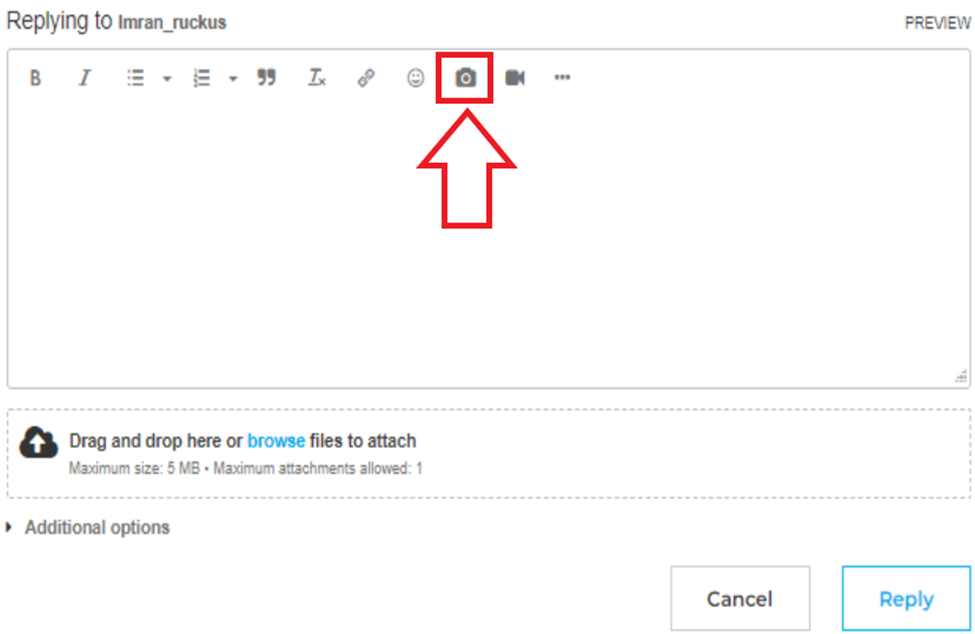
Please log into your RUCKUS Account before uploading these photos/screenshots.
Please help me with the requested queries, and should you have any further questions or concerns, feel free to reach out.
We appreciate your cooperation and look forward to resolving this matter for you promptly.
Best regards,Imran SanadiRUCKUS | Lennar Home Community Support
1. Were there any power outages before the issue began? No, there were no power outages. 2. When your switch is connected to the outlet, do you observe any illuminated lights (amber or green)? Kindly describe which lights are visible. There are two lights one is green under PWR and other is amber on SYST. 3. How many access points are currently connected to the switch? Please describe the status of the lights on the access points. Similarly, include a photo showing the access points' light status. There are 3 access points connected to the switch. They all 3 have no lights on at the moment. Photos are uploaded.
Thank you for your response and the update.
From the picture you shared, I can see that your switch has an Amber/Yellow SYST LED, which indicates that it is stuck in boot mode.
As you already tried, could you please try performing a hard reset using a paper clip a few more times (30-40 times approx.)? If that does not resolve the issue, the next step would be to perform a software recovery on the Switch.
For detailed instructions, please refer to the following RUCKUS Lennar Knowledge Base self-help article:
/kb/articles/4-fixing-ruckus-switch-with-an-amber-orange-light-on-syst-green-light-on-pwr-no-lights-on-aps
Kindly let me know the results after trying this, and feel free to reach out if you have any further questions.
Thank you for your patience and understanding.
Hello, I tried both of these methods and I'm seeing the same result.
Could you please let me know at which step of the Software Recovery process you are currently stuck? If there is any error, kindly share screenshots for reference.
Additionally, please provide a picture showing the Software Recovery cable connections between the switch and the laptop.
Once you share the requested details, I will review and assist you further. In the meantime, please feel free to reach out if you have any questions.
Thank you once again for your patience and understanding.
I followed the directions to a T. I had support from an IT person I work with and they followed all instructions and everything was implemented as it was provided. The only somewhat error we saw was something like "bad block at 0x05a0000" I don't know if those were the exact numbers.
Thank you for sharing the requested information on private chat.
Based on the troubleshooting performed, your ICX-7150-C12P Switch is not responding properly, and the Software Recovery process has been unsuccessful. A hard reset was also attempted; however, the issue still persists.
As a result, this Switch unit appears to be defective and needs to be replaced through the RMA (Return Merchandise Authorization) process.
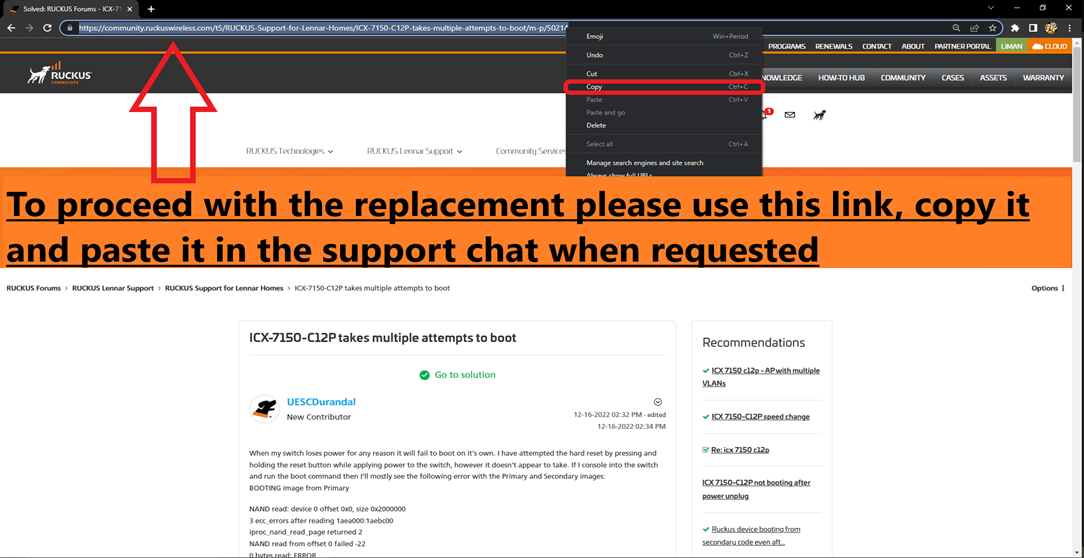
To initiate the replacement, please contact us via chat using the link provided below in this post. Kindly copy the URL/link of this post and paste it in the chat along with the serial number of your RUCKUS Switch when prompted.
Please refer to the example screenshot below for guidance on how to copy and share the required information:
The below link is to contact us by chat (only)
https://support.ruckuswireless.com/contact-us
Did I answer your queries? If yes, hit the Kudos buttons and also accept the answers as Accepted solutions.
Please let me know if you have any queries in this regard.
Thank you again for your patience and understanding.