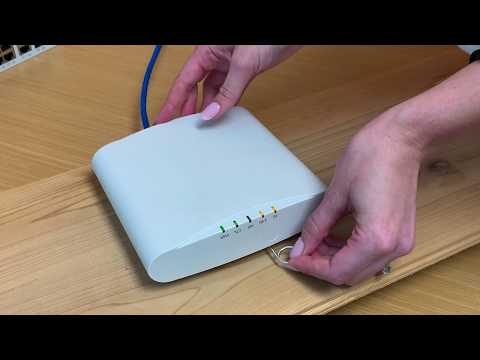
Router stopped working. I tried hard reset already.
Hi @robinparky
Please describe more details of the issue, in order to provide the best troubleshooting steps.
Please read the following guide for the basic understanding of the setup.
Most common Setups for Lennar homes users
https://community.ruckuswireless.com/t5/RUCKUS-Support-for-Lennar-Homes/Most-common-Setups-for-Lenna...
https://www.youtube.com/watch?v=vFD_ByQWGH0
Best regards,
Jayavidhya
Lennar Home Community
I have ICX 7150-C12P switch. All of sudden the internet stopped working. I tried different switch, it works. So something wrong with the switch. I tired power off and on multiple times but no difference. I didn’t try hard reset because I am afraid that the configuration with my two access points can be wiped out. Please advice.
robin
Hope you are doing well
1-On your switch ( faulty ) while it's plugged into the outlet, do you see any lights on? (Amber or green) Please let us know which lights are on?
https://docs.commscope.com/bundle/icx7150-installguide/page/GUID-973C8AE8-837A-41C7-9811-BAEF6ADEF3D3.html
2- Make sure it is plugged into a well-known outlet/power source
Best Regards
Fernando Vasquez
SYST: amberPWR: greenMS: offUPDATE: offDIAG: offCLD: offAll lights on STATUS are off
Hi robinparky
Thank you for the response and information you shared,
As you mentioned and we could see from the picture you shared that, there is an amber light on the "SYST" and a green light on the "PWR" in the section above the USB/ethernet ports. Meaning the Switch is stuck in the boot mode.
Basically, due to the power outage/ power spike, the switch went to a state that we call ‘boot mode’ that is not able to boot up properly.
Please follow to below steps in order to fix this issue:
Below is the Guide and Videos link for your reference:
https://docs.commscope.com/bundle/icx7150-installguide/page/GUID-D3B5DB74-53A7-4F8D-82F9-6EB600879EE7.html
Video link: https://www.youtube.com/watch?v=6jHMTdo_hK4
If the reset does not make any difference, we need to perform a software recovery since it can be that the image flash is corrupted in basic words the unit is not able to boot up properly and need re-install the image to boot up properly.
How to console in the ICX-7150-C12P:
https://community.ruckuswireless.com/t5/RUCKUS-Support-for-Lennar-Homes/How-to-console-in-the-ICX-7150-12c-using-a-Windows-Machine/td-p/46759
Below are the Guide and Video Link to perform the Software recovery process:
Please refer to the below guide and Video link:
https://community.ruckuswireless.com/t5/RUCKUS-Support-for-Lennar-Homes/How-to-perform-a-Software-recovery-on-an-ICX7150-switch/td-p/47483
Video Link: https://www.youtube.com/watch?v=Ql22blH_CGo
Please let me know if you have any queries in this regard.
Imran Sanadi
Lennar Home Community.
I followed the instruction. I connected the switch by ssh and setup the ip address. The instruction required to setup the windows ip address and the gateway ip address same (e.g. 192.168.0.2), but it does not allowed - windows OS reset the gateway ip address to 0.0.0.0. So, when I tried to ping from switch to windows, it couldn't recognize it. I also tried to set the gate ip address 192.168.0.1 on both windows and switch, still ping does not find windows computer.
After spending hours, I am not sure how to proceed. Meanwhile, can I copy upgrade files to USB drive, and stick to the back of switch and install them?
I have another issue. I tried tftpreboot, then it asked user name and password.I tried super and sp-admin for user name and password, but it didn't work.
Thanks for your reply,
Please try changing the IP address of the switch and gateway. Also the IP address of the computer should be the same as the server in the Switch configuration.
Computer IP address: 192.168.0.2
Gateway IP address: 192.168.0.1
Switch IP address: 192.168.0.3
Also please try the most common username and passwords ( This is key sensitive so please include capital letters )
Username:admin password: Ruckus!
Username:admin password: Ruckus1
Username:admin password: Lennar
Username:super password: sp-admin
Admin usernames and passwords for the Ruckus Wi-Fi Access Points/Switch for Lennar home users
https://community.ruckuswireless.com/t5/RUCKUS-Support-for-Lennar-Homes/Admin-usernames-and-password...
I logged in with the password. Then, when I tried to setup ip address, the commands are no longer available.
Thank you for the response and the information you shared.
We have to enter those commands in boot> mode
Please start a Serial connection as shown in below Screenshot and perform the commands:
Please refer to the below guide link as a reference:
Please let us know if you have any queries in this regard.
I followed all steps you suggested, but it didn't help.
I connected to the switch. I setup ip address recommended, connected cable. But the ping does not respond correctly. Can you call me or I can call you to get help?